Streets mood — AI Image Prompt
Prompt
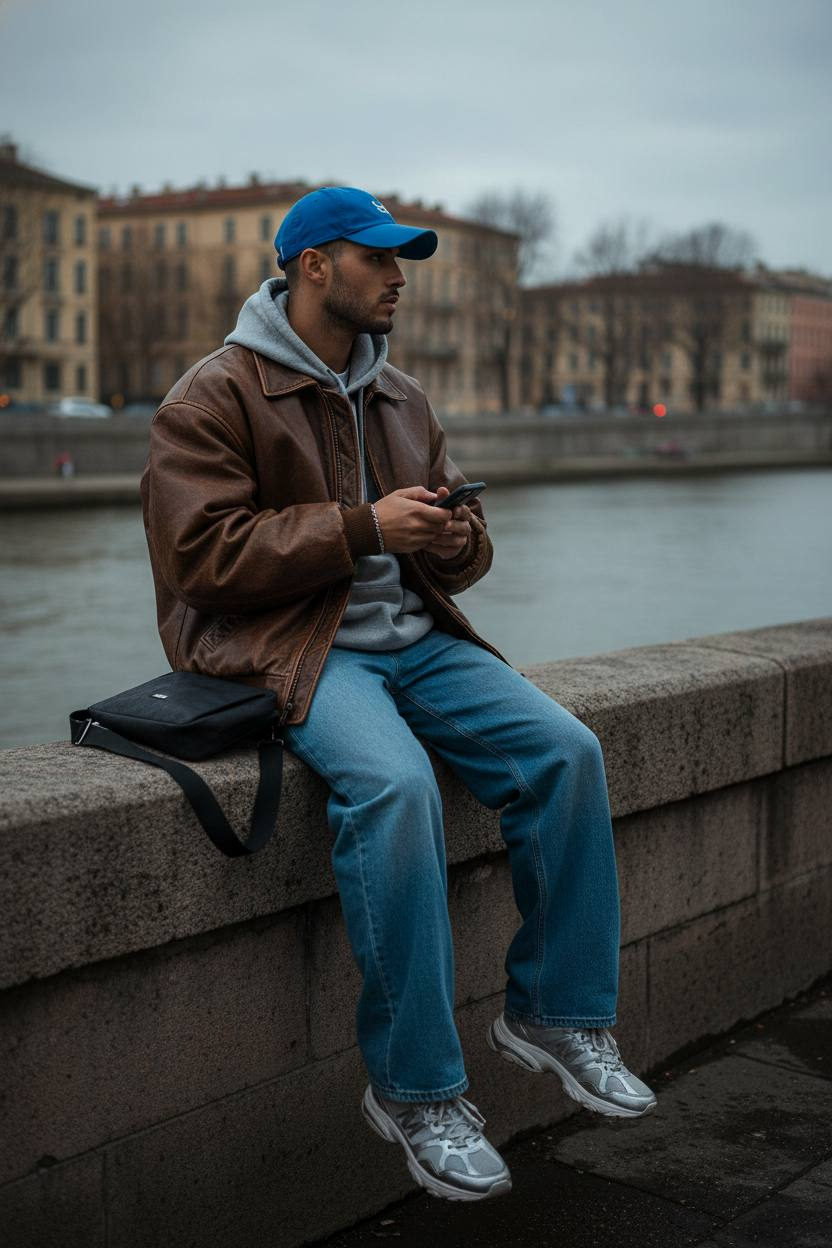
Reference image: conceptual variant. Urban outdoor fashion portrait of a young man sitting casually on a stone embankment wall near a river, captured during overcast evening light. Pose: relaxed and natural — seated with legs dangling freely, elbows slightly bent, hands adjusting an object (like a lighter or phone), head turned slightly sideways as if observing the cityscape. Outfit: oversized gray hoodie layered under a loose brown leather bomber jacket with visible texture and weight; wide-leg blue jeans with soft folds; chunky silver sneakers with realistic wear. Accessories include a bright blue baseball cap, minimal bracelet, and small dark shoulder bag placed near him. Lighting: soft diffused daylight under cloudy sky, creating cool neutral shadows and cinematic contrast on the leather and concrete textures. Background: European-style embankment with historical beige and pastel buildings, bare trees, muted tones of water and pavement; the atmosphere is moody yet calm. Camera: full-body shot, taken from a slightly low diagonal angle emphasizing casual composition and depth. Mood: effortless street aesthetic — quiet, reflective, stylishly detached. Style tags: streetwear editorial, moody atmosphere, oversized layering, vintage leather jacket, casual realism, muted color palette, cinematic urban setting, late autumn vibe.
✦ Use this prompt for free
About “Streets mood”
This photorealistic, portrait, elegant AI image prompt was created by AdX and is available to copy and use for free on PromptSpace. At 193 words, this is a detailed prompt that gives AI models precise instructions for generating the exact image you envision. It falls under the photography, portrait, realistic categories.
How to Use This Prompt
- 1
Copy the prompt
Click the “Copy Prompt” button above to copy the full prompt text to your clipboard.
- 2
Open your AI image generator
Open FLUX, Midjourney and paste the prompt into the text field.
- 3
Generate your image
Hit generate. For best results, use the default settings first and see how the output looks.
- 4
Experiment with variations
Change details like colors, lighting, or composition to make it uniquely yours.
- 5
Want your own face in the image?
Upload a clear, well-lit front-facing photo of yourself directly inside your AI tool (look for Image Reference, Face Swap, or IP-Adapter options) — then paste this prompt alongside it to generate images with your own face.
Recommended Settings
Aspect Ratio
2:3 (Portrait)
Quality
High / HD
Best For
FLUX, Midjourney
Style
Photorealistic, Portrait, Elegant
Why This Prompt Works
The high word count gives the model rich context, reducing ambiguity and producing more consistent results. The photorealistic and portrait aesthetic signals are specific enough that the model can lock onto a distinct visual language. Explicit lighting direction (a leading signal in prompt engineering) significantly improves photo-realism and composition. Well-crafted prompts like this one combine subject precision, style vocabulary, and rendering hints — the three pillars of reliable AI image generation.
Best Model
FLUX is strongly recommended for this prompt. FLUX 1.1 Pro excels at photorealism and handles complex lighting instructions more accurately than older models.