Ethereal Pastel Trust — AI Image Prompt
Prompt
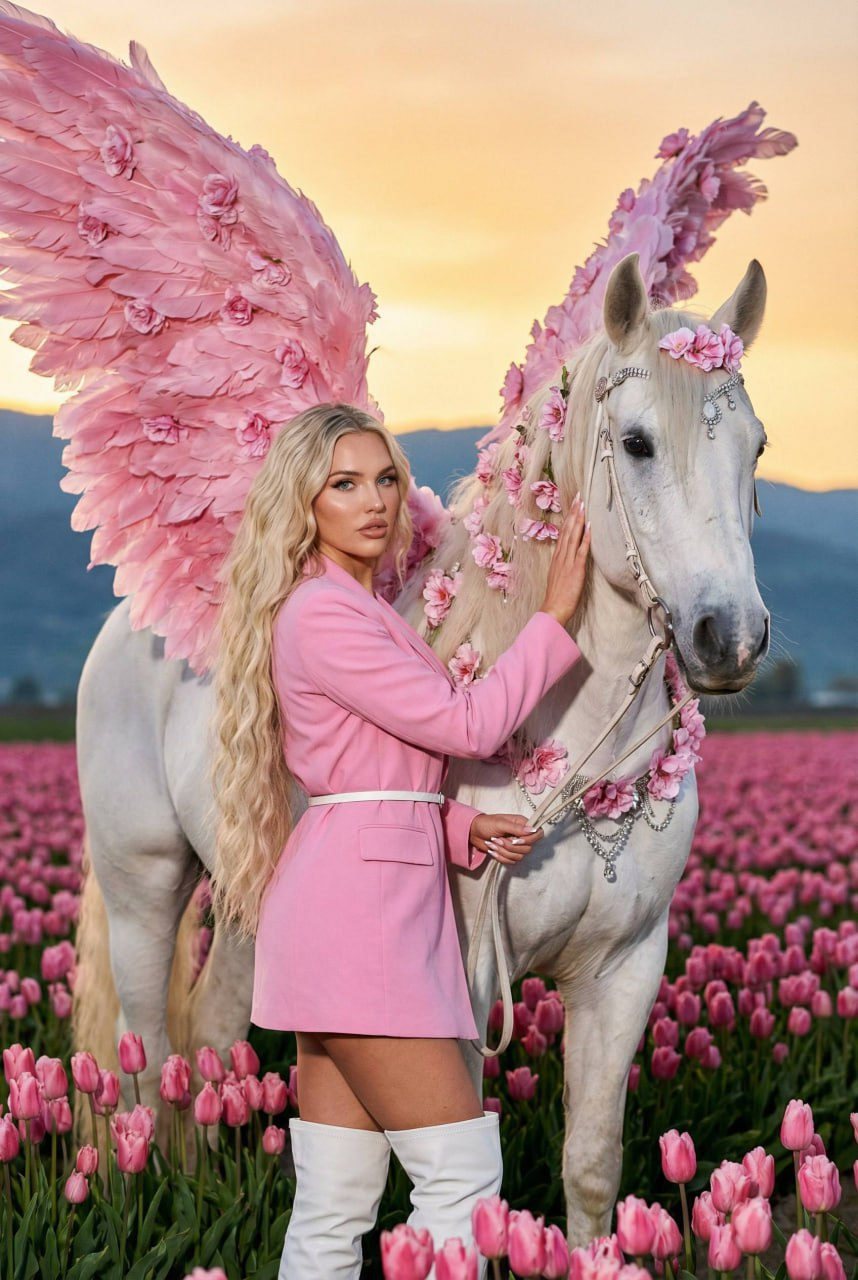
Subject: a young girl with a Pegasus. Action: The model stands close to the Pegasus, gently placing her right hand on his neck. With her left hand, she holds the reins confidently but relaxed. A calm trust is felt between the human and the animal. Pose: The girl stands half-turned to the camera, slightly arched at the waist, which emphasizes the silhouette of the clothes. The head is slightly tilted, and a direct gaze is directed into the lens, creating a confident and attractive image. Appearance: very long, wavy hair. Clothing: A fitted dress-jacket (or elongated blazer) in a soft pink color with classic lapels and pockets. Accessories: * A thin white strap at the waist, emphasizing the silhouette. Shoes: High white boots with a sharp toe, reaching almost to the knee. Location: Foreground and middle ground: Endless, even rows of soft pink tulips receding into the distance to the horizon. Background: A ridge of gentle mountains or hills, the silhouettes of which are painted in subdued blue-gray tones. Sky: Clear sky with a gradient from saturated golden-orange at the horizon to pale yellow above. Pegasus: a fairy-tale pegasus embodying tenderness and spring aesthetics. Here are its main features: Color and appearance: A snow-white horse with a graceful build, resembling an Arabian stallion. Wings: Huge, fluffy, consisting of soft pink feathers that smoothly turn into flower petals. Decor: The mane and body are decorated with a scattering of pink flowers, lace details and elegant silver jewelry similar to frost or jewelry weaving. Angle: The shot was taken from a medium shot (waist-deep). The camera is located slightly below the eye level of the model, which gives the frame a light dynamics and makes the figures more expressive against the background. Lighting: flash Style: Photorealism, high detail of skin, fabric and props. Photo in motion. light digital noise, soft sharpness, light grain, live frame effect.
✦ Use this prompt for free
About “Ethereal Pastel Trust”
This photorealistic, elegant AI image prompt was created by AdX and is available to copy and use for free on PromptSpace. At 314 words, this is a detailed prompt that gives AI models precise instructions for generating the exact image you envision. It falls under the realistic, photography, fantasy categories.
How to Use This Prompt
- 1
Copy the prompt
Click the “Copy Prompt” button above to copy the full prompt text to your clipboard.
- 2
Open your AI image generator
Open FLUX, Midjourney and paste the prompt into the text field.
- 3
Generate your image
Hit generate. For best results, use the default settings first and see how the output looks.
- 4
Experiment with variations
Change details like colors, lighting, or composition to make it uniquely yours.
- 5
Want your own face in the image?
Upload a clear, well-lit front-facing photo of yourself directly inside your AI tool (look for Image Reference, Face Swap, or IP-Adapter options) — then paste this prompt alongside it to generate images with your own face.
Recommended Settings
Aspect Ratio
1:1 or 2:3 (Default)
Quality
High / HD
Best For
FLUX, Midjourney
Style
Photorealistic, Elegant
Why This Prompt Works
The high word count gives the model rich context, reducing ambiguity and producing more consistent results. The photorealistic and elegant aesthetic signals are specific enough that the model can lock onto a distinct visual language. Explicit lighting direction (a leading signal in prompt engineering) significantly improves photo-realism and composition. Well-crafted prompts like this one combine subject precision, style vocabulary, and rendering hints — the three pillars of reliable AI image generation.
Best Model
FLUX is strongly recommended for this prompt. FLUX 1.1 Pro excels at photorealism and handles complex lighting instructions more accurately than older models.