female fashion model — AI Image Prompt
Prompt
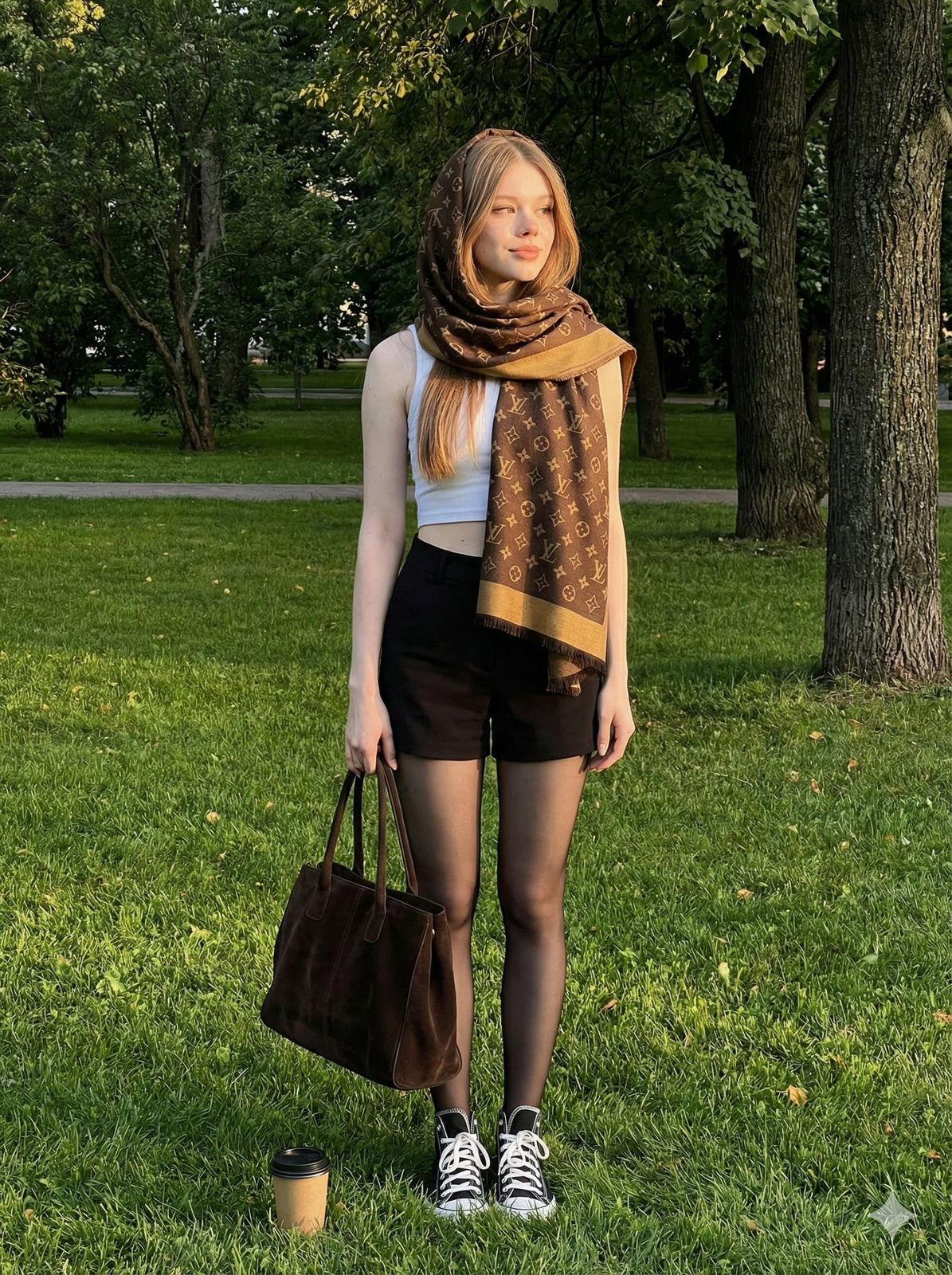
A candid, spontaneous snapshot of a female fashion model standing on a vibrant green park lawn during golden hour, captured with an iPhone at a low-eye angle for a cinematic composition. Keep her face exactly as in the reference photo, preserving all facial details and natural expression. She wears black mini shorts layered with translucent stockings and a sleeveless white crop top, paired with an oversized Louis Vuitton scarf elegantly wrapped around her head and neck, showcasing the scarf’s fine fabric texture and logo details. Her feet are clad in black high-top sneakers with visible white laces, and she holds a large dark brown suede handbag in her left hand, its deep suede texture clearly rendered. A takeaway coffee cup rests casually on the grass near her feet, the blades sharply detailed beneath natural shadows and warm highlights. Soft golden-hour sunlight bathes her face and scarf, adding warm highlights and subtle shadows. The composition places her slightly off-center, with every element in crisp focus—from the bark and leaves of the background trees to the textured grass—maintaining a clean editorial tone with subtle moody contrast. Her body is slightly tilted left, with her head turned right, gazing past the camera in a natural, effortless manner that conveys quiet reflection. The overall vibe blends Korean street luxury and minimal fashion editorial, captured in an intimate yet sophisticated candid iPhone photograph inspired by cinematic realism and subtle editorial aesthetics reminiscent of Peter Ash Lee and Juergen Teller’s Balenciaga fall lookbook style.
✦ Use this prompt for free
About “female fashion model”
This photorealistic, cinematic, fashion AI image prompt was created by AdX and is available to copy and use for free on PromptSpace. At 248 words, this is a detailed prompt that gives AI models precise instructions for generating the exact image you envision. It falls under the realistic, cinematic, photography categories.
How to Use This Prompt
- 1
Copy the prompt
Click the “Copy Prompt” button above to copy the full prompt text to your clipboard.
- 2
Open your AI image generator
Open FLUX, Midjourney and paste the prompt into the text field.
- 3
Generate your image
Hit generate. For best results, use the default settings first and see how the output looks.
- 4
Experiment with variations
Change details like colors, lighting, or composition to make it uniquely yours.
- 5
Want your own face in the image?
Upload a clear, well-lit front-facing photo of yourself directly inside your AI tool (look for Image Reference, Face Swap, or IP-Adapter options) — then paste this prompt alongside it to generate images with your own face.
Recommended Settings
Aspect Ratio
2:3 (Portrait)
Quality
High / HD
Best For
FLUX, Midjourney
Style
Photorealistic, Cinematic, Fashion
Why This Prompt Works
The high word count gives the model rich context, reducing ambiguity and producing more consistent results. The photorealistic and cinematic aesthetic signals are specific enough that the model can lock onto a distinct visual language. The cinematic framing instruction tells the model to treat composition and depth-of-field as a film director would, not as a snapshot. Well-crafted prompts like this one combine subject precision, style vocabulary, and rendering hints — the three pillars of reliable AI image generation.
Best Model
FLUX is strongly recommended for this prompt. FLUX 1.1 Pro excels at photorealism and handles complex lighting instructions more accurately than older models.