Close-up portrait — AI Image Prompt
Prompt
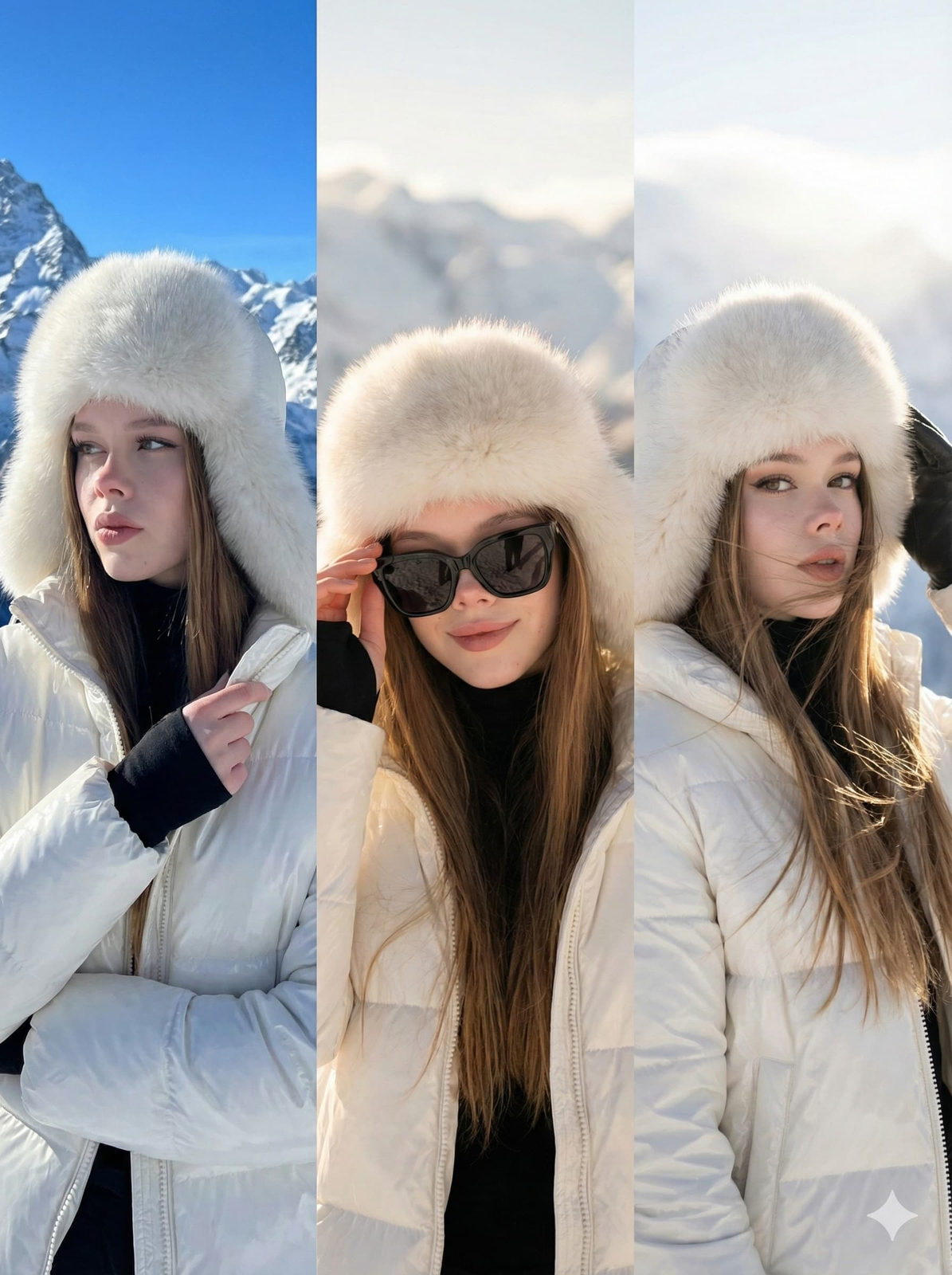
Create a 3-Panel Horizontal Montage — only three seamlessly aligned horizontal images. Theme: High-Altitude Winter Fashion Editorial. Subject: Use the exact facial features from the provided reference photo (eyes, nose, lips, eyebrows, face shape, and overall proportions) with no alteration. Keep the same face consistently across all three panels. Outfit & Style: Glossy white puffer jacket, fluffy white fur hat (trapper/aviator style), and a black turtleneck. Setting: Sunny, high-altitude snowy mountain range with a clear blue sky. Lighting: Bright, sharp high-altitude sunlight creating bold contrasts and crisp shadows. Style: Commercial ski fashion, high-end editorial, ultra-realistic. --- PANEL 1 (Left): Close-up portrait in 3/4 profile looking to the side. Arms folded across the chest, one hand subtly touching the jacket collar. Expression: Cool, confident, high-fashion gaze. Background: Sharp, rugged snowy peaks under a clear sky. PANEL 2 (Center): Mid-shot frontal portrait, face fully visible, head slightly tilted. One hand delicately adjusting oversized black sunglasses (index finger on the frame). Expression: Charming, subtle, closed-lip smile. Background: Softly focused snowy mountain landscape with a slightly warmer tone of sunlight. PANEL 3 (Right): Mid-shot/bust portrait in a dynamic pose, head turned sharply toward the camera. Hair gently blowing to one side. One gloved hand touches the fur hat. Expression: Elegant, direct, captivating gaze. Background: Bright sun glare and haze creating a dreamy effect over the mountain backdrop.
✦ Use this prompt for free
About “Close-up portrait”
This photorealistic, cinematic, fashion AI image prompt was created by AdX and is available to copy and use for free on PromptSpace. At 223 words, this is a detailed prompt that gives AI models precise instructions for generating the exact image you envision. It falls under the cinematic, realistic, fashion categories.
How to Use This Prompt
- 1
Copy the prompt
Click the “Copy Prompt” button above to copy the full prompt text to your clipboard.
- 2
Open your AI image generator
Open FLUX, Midjourney and paste the prompt into the text field.
- 3
Generate your image
Hit generate. For best results, use the default settings first and see how the output looks.
- 4
Experiment with variations
Change details like colors, lighting, or composition to make it uniquely yours.
- 5
Want your own face in the image?
Upload a clear, well-lit front-facing photo of yourself directly inside your AI tool (look for Image Reference, Face Swap, or IP-Adapter options) — then paste this prompt alongside it to generate images with your own face.
Recommended Settings
Aspect Ratio
2:3 (Portrait)
Quality
High / HD
Best For
FLUX, Midjourney
Style
Photorealistic, Cinematic, Fashion
Why This Prompt Works
The high word count gives the model rich context, reducing ambiguity and producing more consistent results. The photorealistic and cinematic aesthetic signals are specific enough that the model can lock onto a distinct visual language. Explicit lighting direction (a leading signal in prompt engineering) significantly improves photo-realism and composition. Well-crafted prompts like this one combine subject precision, style vocabulary, and rendering hints — the three pillars of reliable AI image generation.
Best Model
FLUX is strongly recommended for this prompt. FLUX 1.1 Pro excels at photorealism and handles complex lighting instructions more accurately than older models.