Elegant Man — AI Image Prompt
Prompt
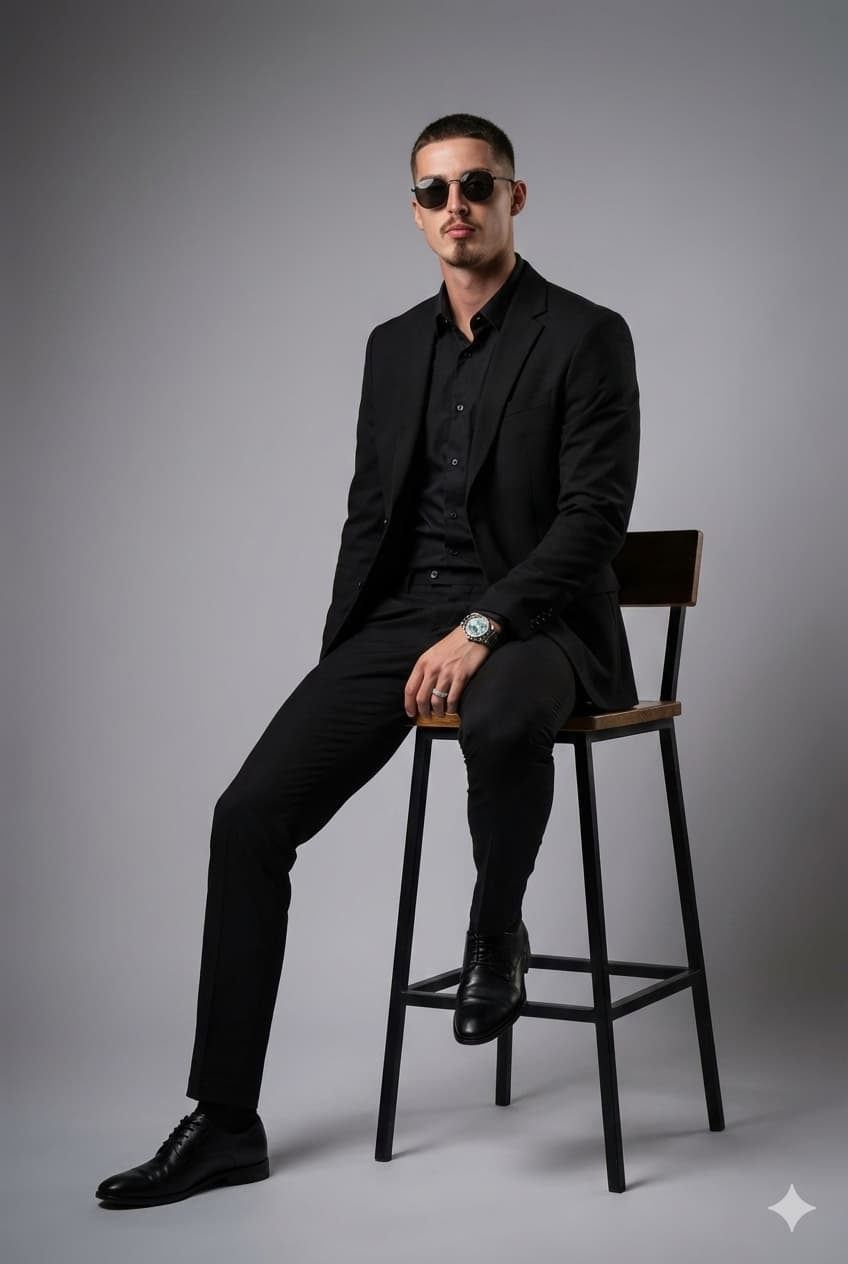
Recreate this scene using my uploaded photo as the base, keeping the same framing, pose, lighting, and atmosphere as the reference image. The composition should show a man sitting on a tall wooden stool with a black metal structure, in a minimalist studio with a neutral gray-toned background. The framing must capture the full body, with a slight distance that highlights the posture and the clean environment. The model should have his right leg bent and resting on the step of the stool, while the left foot touches the floor elegantly, wearing black dress shoes with translucent details. Accessories: a completely black and elegant aesthetic; a zirconia stone ring on the left pinky finger, and a Rolex watch on the wrist. He should be wearing a structured blazer, slim tailored trousers, and a moss-blue shirt underneath, conveying strength, style, and professionalism. The facial expression must be confident, with the gaze directed slightly to the side, expressing power and serenity. Lighting should be studio-quality, with soft directional light creating a balanced contrast between shadows and highlights, enhancing the texture of the clothing and the contours of the face. The background should remain plain, with a subtle gray gradient and no distractions, keeping the focus entirely on the model. The overall style should be modern corporate editorial, with realistic rendering, professional photographic appearance, and elegant magazine-worthy composition. Vertical format (1080×1920), portrait ratio, premium photographic quality, sophisticated tone, and cinematic lighting.
✦ Use this prompt for free
About “Elegant Man”
This photorealistic, cinematic, elegant AI image prompt was created by desista and is available to copy and use for free on PromptSpace. At 238 words, this is a detailed prompt that gives AI models precise instructions for generating the exact image you envision. It falls under the elegant, business, realistic categories.
How to Use This Prompt
- 1
Copy the prompt
Click the “Copy Prompt” button above to copy the full prompt text to your clipboard.
- 2
Open your AI image generator
Open FLUX, Midjourney and paste the prompt into the text field.
- 3
Generate your image
Hit generate. For best results, use the default settings first and see how the output looks.
- 4
Experiment with variations
Change details like colors, lighting, or composition to make it uniquely yours.
- 5
Want your own face in the image?
Upload a clear, well-lit front-facing photo of yourself directly inside your AI tool (look for Image Reference, Face Swap, or IP-Adapter options) — then paste this prompt alongside it to generate images with your own face.
Recommended Settings
Aspect Ratio
16:9 (Widescreen)
Quality
High / HD
Best For
FLUX, Midjourney
Style
Photorealistic, Cinematic, Elegant
Why This Prompt Works
The high word count gives the model rich context, reducing ambiguity and producing more consistent results. The photorealistic and cinematic aesthetic signals are specific enough that the model can lock onto a distinct visual language. Explicit lighting direction (a leading signal in prompt engineering) significantly improves photo-realism and composition. Well-crafted prompts like this one combine subject precision, style vocabulary, and rendering hints — the three pillars of reliable AI image generation.
Best Model
FLUX is strongly recommended for this prompt. FLUX 1.1 Pro excels at photorealism and handles complex lighting instructions more accurately than older models.