Widened — AI Image Prompt
Prompt
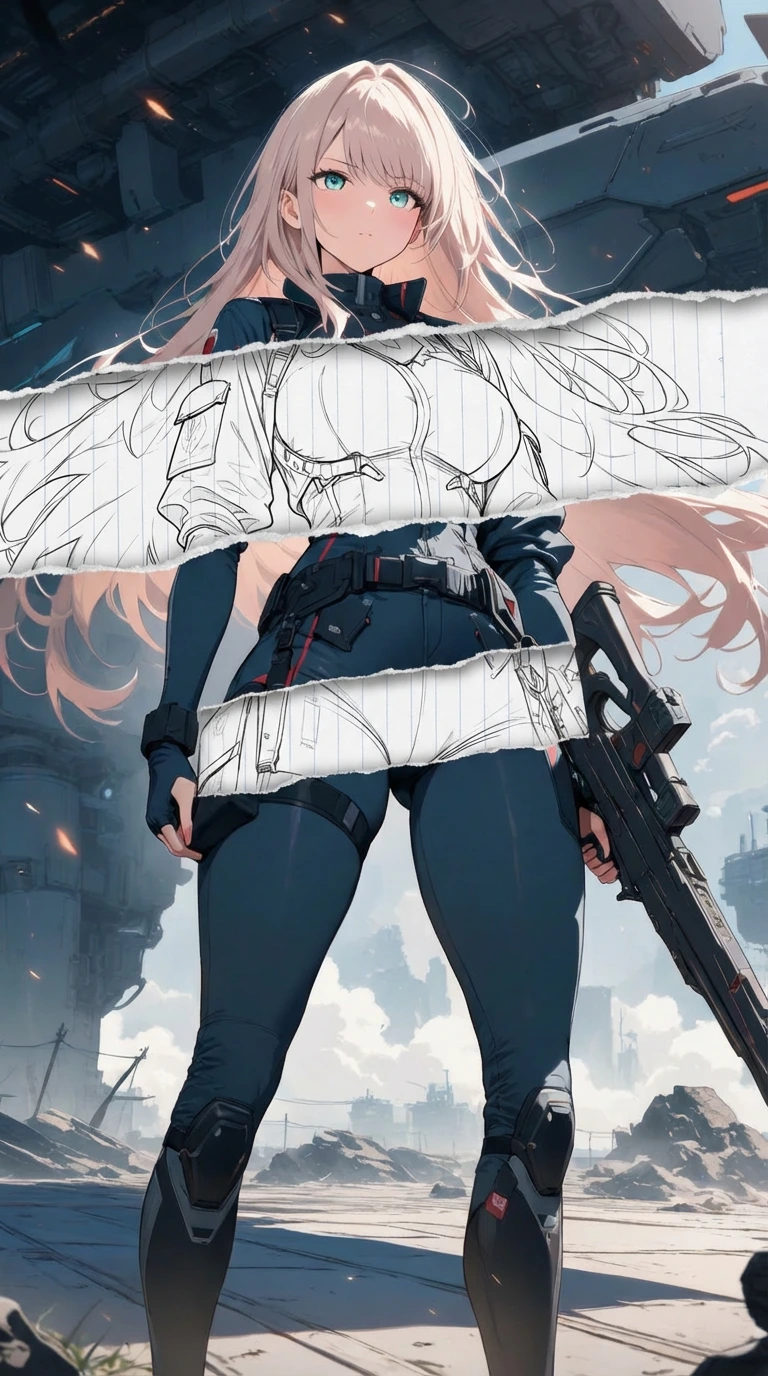
base_image: use_reference_image: true preserve_everything: - character identity - facial features and expression - hairstyle and anatomy - outfit design and colors - background, lighting, composition - overall art style rules: - Only modify the torn-paper interior areas. - Do not change pose, anatomy, proportions, clothing details, shading, or scene elements. effects: - effect: "torn-paper-reveal" placement: "across chest height" description: - Add a wide, natural horizontal tear across the chest area. - The torn interior uses the style defined in `interior_style`. - effect: "torn-paper-reveal" placement: "lower abdomen height" description: - Add a wide horizontal tear across the lower abdomen. - The torn interior uses the style defined in `interior_style`. interior_style: mode: "line-art" style_settings: line-art: palette: "monochrome" line_quality: "clean, crisp" paper: "notebook paper with subtle ruled lines" sumi-e: palette: "black ink tones" brush_texture: "soft bleeding edges" paper: "plain textured paper" figure-render: material: "PVC-like" shading: "semi-realistic highlights" paper: "plain smooth surface" colored-pencil: stroke_texture: "visible pencil grain" palette: "soft layered hues" paper: "rough sketchbook paper" watercolor: palette: "soft transparent pigments" blending: "smooth bleeding" edges: "soft contours" paper: "watercolor paper texture" pencil-drawing: graphite_texture: "visible pencil grain" shading: "smooth gradients" line_quality: "mixed sharp and soft" tone: "gray-scale" paper: "notebook paper with faint ruled lines
✦ Use this prompt for free
About “Widened”
This anime, artistic AI image prompt was created by AdX and is available to copy and use for free on PromptSpace. At 198 words, this is a detailed prompt that gives AI models precise instructions for generating the exact image you envision. It falls under the anime, cartoon categories.
How to Use This Prompt
- 1
Copy the prompt
Click the “Copy Prompt” button above to copy the full prompt text to your clipboard.
- 2
Open your AI image generator
Open FLUX, Midjourney and paste the prompt into the text field.
- 3
Generate your image
Hit generate. For best results, use the default settings first and see how the output looks.
- 4
Experiment with variations
Change details like colors, lighting, or composition to make it uniquely yours.
- 5
Want your own face in the image?
Upload a clear, well-lit front-facing photo of yourself directly inside your AI tool (look for Image Reference, Face Swap, or IP-Adapter options) — then paste this prompt alongside it to generate images with your own face.
Recommended Settings
Aspect Ratio
1:1 or 2:3 (Default)
Quality
High / HD
Best For
FLUX, Midjourney
Style
Anime, Artistic
Why This Prompt Works
The high word count gives the model rich context, reducing ambiguity and producing more consistent results. The anime and artistic aesthetic signals are specific enough that the model can lock onto a distinct visual language. Explicit lighting direction (a leading signal in prompt engineering) significantly improves photo-realism and composition. Well-crafted prompts like this one combine subject precision, style vocabulary, and rendering hints — the three pillars of reliable AI image generation.
Best Model
FLUX is strongly recommended for this prompt. FLUX 1.1 Pro excels at photorealism and handles complex lighting instructions more accurately than older models.
Common Failure Modes
Face distortion is the most common issue — enable 'face fix' or use --no deformed faces in Midjourney. Hands may also look unnatural; add 'perfect hands, detailed fingers' if body is included.
Prompt Variations to Try
- 1Studio Ghibli adaptation: Add "Studio Ghibli art style, Hayao Miyazaki, watercolor backgrounds, soft color palette" for a hand-painted animation aesthetic.
- 2Modern webtoon version: Use "webtoon art style, Korean manhwa, clean lineart, pastel colors, digital illustration" for a contemporary look.
- 3Simplified version: Strip the prompt to the core subject and style (5–8 words) and test it — sometimes minimal prompts produce the most striking outputs.
Related Categories
This prompt is tagged with anime, cartoon. Browse more prompts in these categories to find similar AI art styles and inspiration for your next creation.