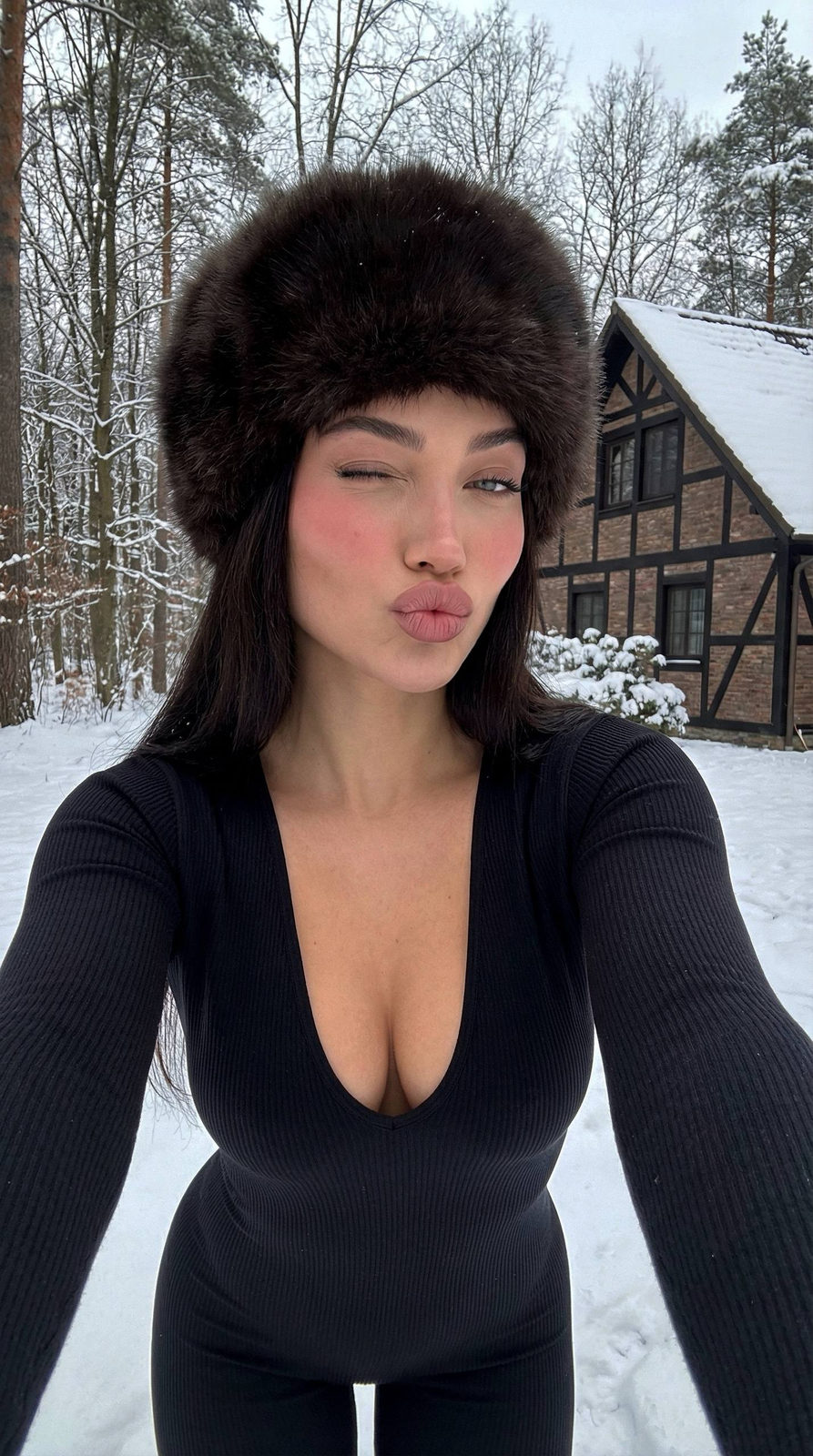
Winter selfie
Prompt
Reference image: conceptual variant. This is a selfie. Ultra-detailed outdoor winter selfie, taken on a smartphone’s front camera with an outstretched arm. The shot is close-up, the face centered, with a slight upward angle. The girl is standing outside in the middle of a snowy forest. Pose & expression: the face is slightly tilted to the right; one eye is closed in a playful wink; the lips are shaped into a kissy “duck face” pose; the expression is light, flirty, and lively. Lighting: soft, diffused daylight from an overcast winter sky; even, cool illumination on the face; emphasis on naturally flushed cheeks from the cold and natural highlights on the skin. Skin & makeup: smooth natural skin with a gentle pink blush; eyes defined with soft eyeshadow, natural lashes; lips matte and richly pink; minimal makeup, natural winter glow. Outfit & accessories: a voluminous, rich-brown fur hat with deep fluffy texture; long dark hair partially visible from underneath; a black form-fitting ribbed jumpsuit/turtleneck with a deep neckline; the fabric has a slight sheen in the cold snowy light. Background: a winter forest: bare trees, branches, snow-covered ground; behind her is a house with dark wooden frames, architectural details, and snow on the roof; the background is slightly blurred but recognizable. Framing: vertical format; the arm holding the phone is not visible but the angle suggests its presence; face and upper chest centered, the fur hat occupying much of the upper area. Mood & style: playful winter fashion aesthetic; natural skin glow, cool color grading; atmospheric, lively, like an Instagram shot taken during a winter vacation.
Tags
Use this prompt for free →
Comments
Sign in to join the conversation
About “Winter selfie”
This photorealistic, cinematic, elegant AI image prompt was created by AdX and is available to copy and use for free on PromptSpace. At 265 words, this is a detailed prompt that gives AI models precise instructions for generating the exact image you envision. It falls under the cinematic, realistic, elegant categories.
How to Use This Prompt
- Click the “Copy Prompt” button above to copy the full prompt text to your clipboard.
- Open your preferred AI image generator (works best with FLUX, Midjourney).
- Paste the prompt and generate. For best results, use the default settings first.
- Experiment with variations — change details like colors, lighting, or composition to create your unique version.
Recommended Settings
Aspect Ratio
16:9 (Widescreen)
Quality
High / HD
Best For
FLUX, Midjourney
Style
Photorealistic, Cinematic, Elegant
Related Categories
This prompt is tagged with cinematic, realistic, elegant. Browse more prompts in these categories to find similar AI art styles and inspiration for your next creation.