Tandem Skydive Fisheye Self-Portrait — AI Image Prompt
Prompt
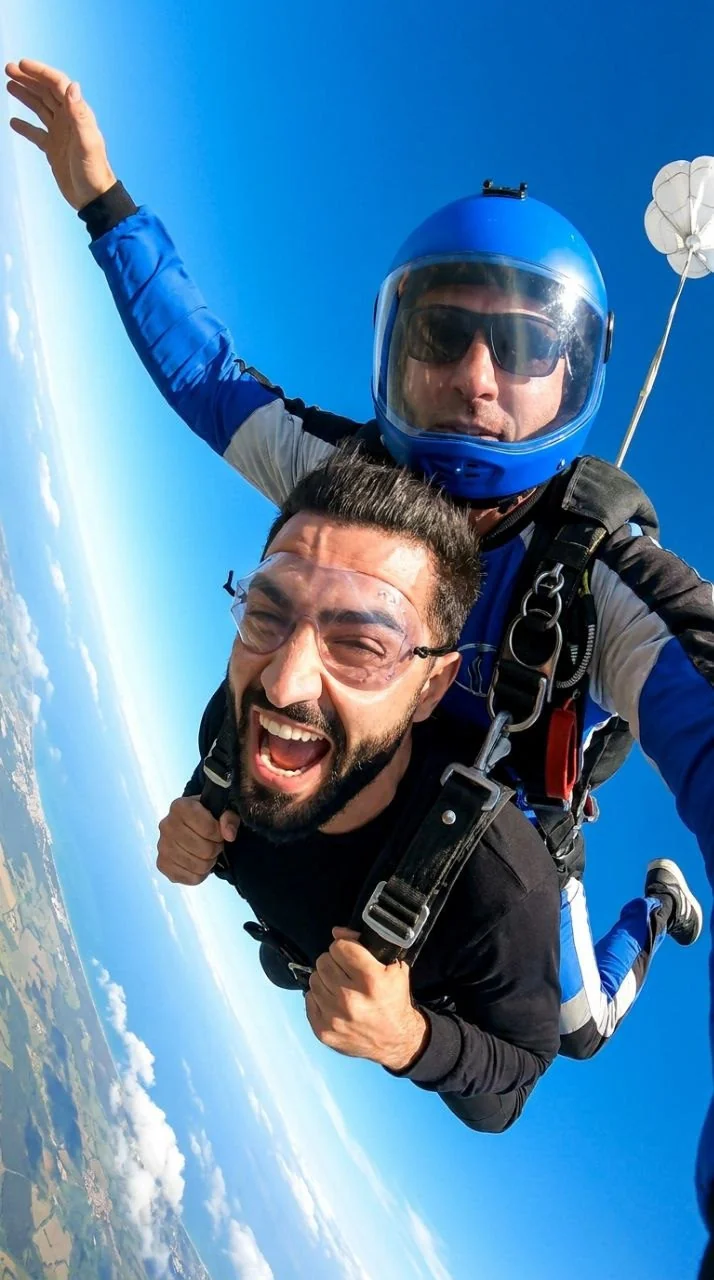
Dynamic photorealistic selfie shot during a tandem parachute jump in freefall, extreme close-up on a wide-angle action camera with pronounced fisheye distortion and a sharply tilted horizon. In the foreground, an adult man from the source photo, with a neat beard, in transparent protective goggles, tightly pressed to his face; mouth wide open in a joyful scream, eyes squinted from wind and sun, both hands holding tight to the black shoulder straps of the tandem system. Directly behind him, tightly strapped in, is an instructor in a bright blue helmet with a transparent convex visor, under which dark glasses are visible, wearing a blue parachute jumpsuit with black, white, and gray inserts, massive black harness, carabiners, buckles, and straps. One arm in a blue sleeve is extended upward towards the top left edge of the frame, enhancing the sense of movement and asymmetry. Bodies are positioned diagonally, legs trailing back towards the bottom right corner, creating an effect of speed and weightlessness. In the background, a saturated blue sky, soft white clouds far below, and a sharply sloped horizon line on the left; in the top right corner, a small white pilot chute is visible on a thin line. Bright daylight, harsh reflections on the goggles and visor, high-contrast blue and white palette, sharp focus on faces and straps, slight motion blur on short hair, beard, and distant clouds, energetic extreme sports documentary style. Aspect ratio 9:16
About “Tandem Skydive Fisheye Self-Portrait”
This photorealistic, portrait AI image prompt was created by PromptSpace and is available to copy and use for free on PromptSpace. At 237 words, this is a detailed prompt that gives AI models precise instructions for generating the exact image you envision. It falls under the realistic, photography, portrait categories.
How to Use This Prompt
- 1
Copy the prompt
Click the “Copy Prompt” button above to copy the full prompt text to your clipboard.
- 2
Open your AI image generator
Open FLUX, Midjourney and paste the prompt into the text field.
- 3
Generate your image
Hit generate. For best results, use the default settings first and see how the output looks.
- 4
Experiment with variations
Change details like colors, lighting, or composition to make it uniquely yours.
- 5
Want your own face in the image?
Upload a clear, well-lit front-facing photo of yourself directly inside your AI tool (look for Image Reference, Face Swap, or IP-Adapter options) — then paste this prompt alongside it to generate images with your own face.
Recommended Settings
Aspect Ratio
2:3 (Portrait)
Quality
High / HD
Best For
FLUX, Midjourney
Style
Photorealistic, Portrait
Why This Prompt Works
The high word count gives the model rich context, reducing ambiguity and producing more consistent results. The photorealistic and portrait aesthetic signals are specific enough that the model can lock onto a distinct visual language. Well-crafted prompts like this one combine subject precision, style vocabulary, and rendering hints — the three pillars of reliable AI image generation.
Best Model
FLUX is strongly recommended for this prompt. FLUX 1.1 Pro excels at photorealism and handles complex lighting instructions more accurately than older models.