Awkward Scribble Parody — AI Image Prompt
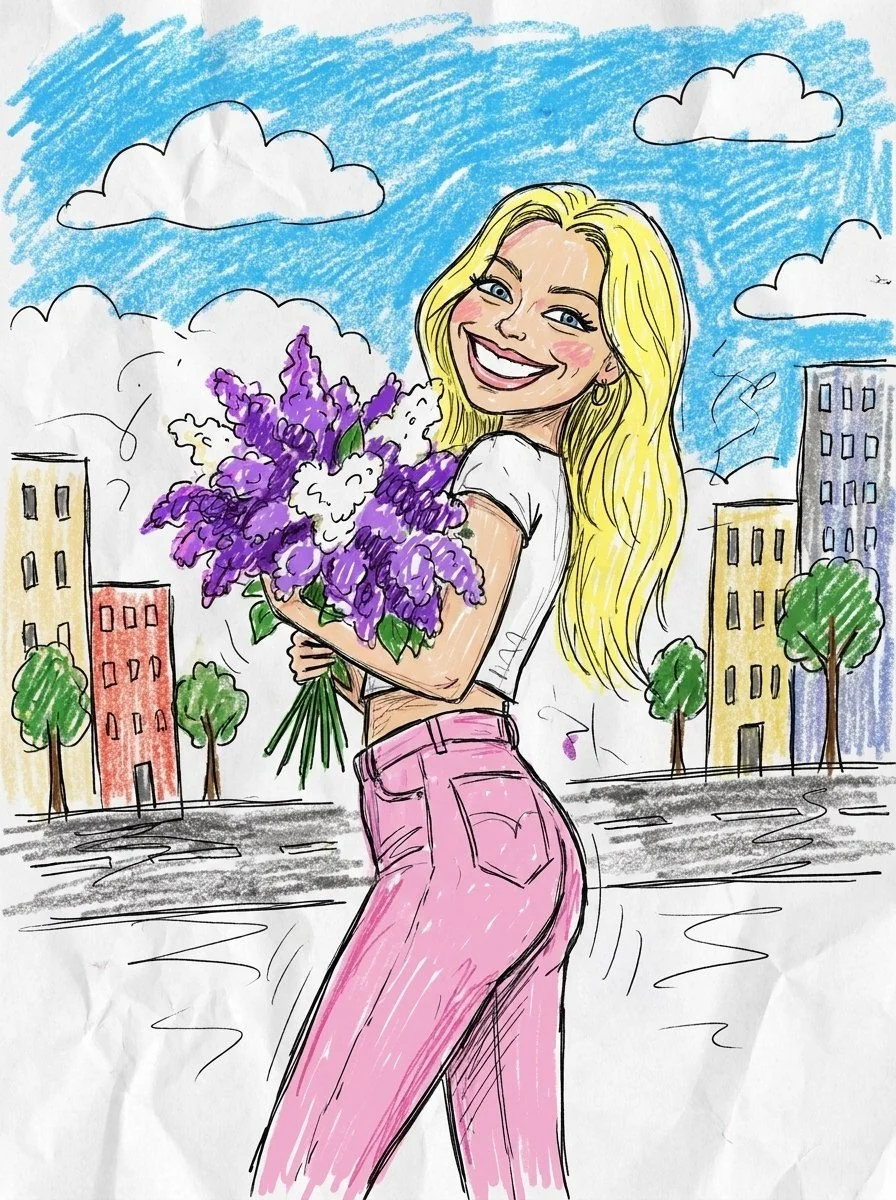
Prompt
Turn this photo into a funny ugly doodle drawing. Make it look like: a quick sketch using a cheap marker or crayon messy, rough, childlike style bad perspective and awkward proportions slightly exaggerated facial features Add: simple cartoon background (like buildings, trees, street) random sketchy lines and details uneven coloring and visible strokes Style: looks like a lazy drawing, not polished humorous and a bit stupid-looking meme-like, casual, internet style Do NOT: make it realistic
About “Awkward Scribble Parody”
This artistic AI image prompt was created by PromptSpace and is available to copy and use for free on PromptSpace. At 75 words, this is a detailed prompt that gives AI models precise instructions for generating the exact image you envision. It falls under the cartoon, sketch line art, vibrant colorful categories.
How to Use This Prompt
- 1
Copy the prompt
Click the “Copy Prompt” button above to copy the full prompt text to your clipboard.
- 2
Open your AI image generator
Open FLUX, Midjourney and paste the prompt into the text field.
- 3
Generate your image
Hit generate. For best results, use the default settings first and see how the output looks.
- 4
Experiment with variations
Change details like colors, lighting, or composition to make it uniquely yours.
- 5
Want your own face in the image?
Upload a clear, well-lit front-facing photo of yourself directly inside your AI tool (look for Image Reference, Face Swap, or IP-Adapter options) — then paste this prompt alongside it to generate images with your own face.
Recommended Settings
Aspect Ratio
1:1 or 2:3 (Default)
Quality
High / HD
Best For
FLUX, Midjourney
Style
Artistic
Why This Prompt Works
The high word count gives the model rich context, reducing ambiguity and producing more consistent results. The artistic aesthetic signals are specific enough that the model can lock onto a distinct visual language. Well-crafted prompts like this one combine subject precision, style vocabulary, and rendering hints — the three pillars of reliable AI image generation.
Best Model
FLUX is strongly recommended for this prompt. FLUX 1.1 Pro excels at photorealism and handles complex lighting instructions more accurately than older models.
Common Failure Modes
Over-processing is the most common failure — the model may add excessive detail, noise, or unrealistic glow effects. Add 'clean', 'minimal post-processing' or reduce the CFG scale if using Stable Diffusion. Also regenerate 2–3 times before adjusting the prompt.
Prompt Variations to Try
- 1Cinematic version: Add "golden hour lighting, anamorphic lens, shallow depth of field, film grain" to shift the mood toward a movie still.
- 2Dark/moody version: Prefix with "dark aesthetic, moody atmosphere, low-key lighting, desaturated palette" for a dramatic editorial look.
- 3Commercial-safe version: Replace stylized terms with "clean, minimalist, white background, product photography style" for brand or e-commerce use.
Related Categories
This prompt is tagged with cartoon, sketch line art, vibrant colorful. Browse more prompts in these categories to find similar AI art styles and inspiration for your next creation.