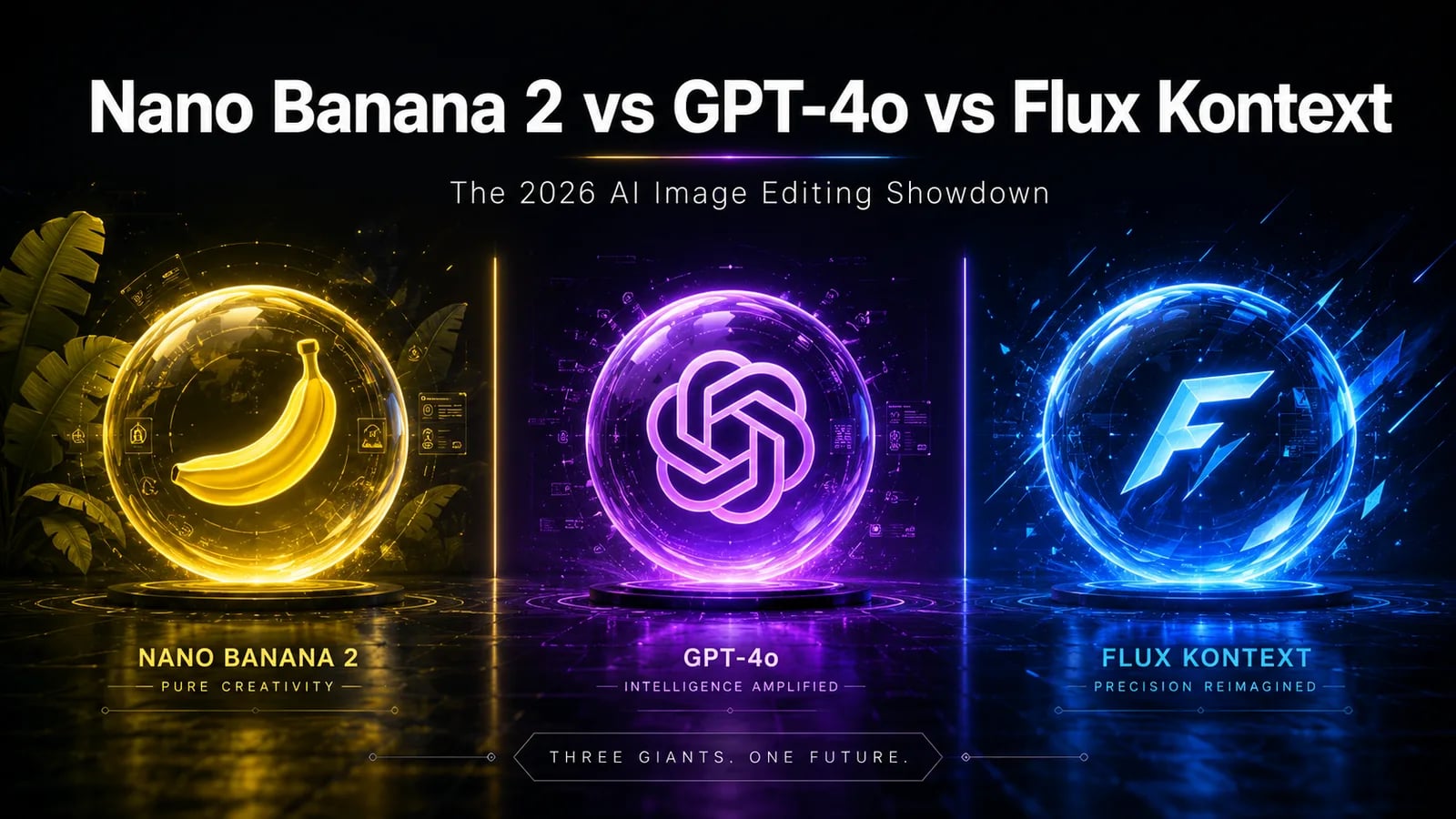
Three AI image editors. One brutal head-to-head. After running 40+ identical edit prompts through Google Nano Banana 2, OpenAI GPT-4o image, and Black Forest Labs' Flux Kontext, here's the honest 2026 verdict — including which one to actually pay for, and the specific tasks where each one quietly destroys the others.
If you've been scrolling X or Reddit lately, you've seen the same lazy take repeated everywhere: "Nano Banana 2 is the best now, just use that." It's not that simple. The three top image editors of 2026 are genuinely different tools optimized for different jobs — and picking the wrong one will quietly waste hours of your week.
This is the comparison I wish existed when I started building image pipelines for PromptSpace. No fluff. No "both are great!" hedging. Just what wins, what loses, and the prompts that prove it.
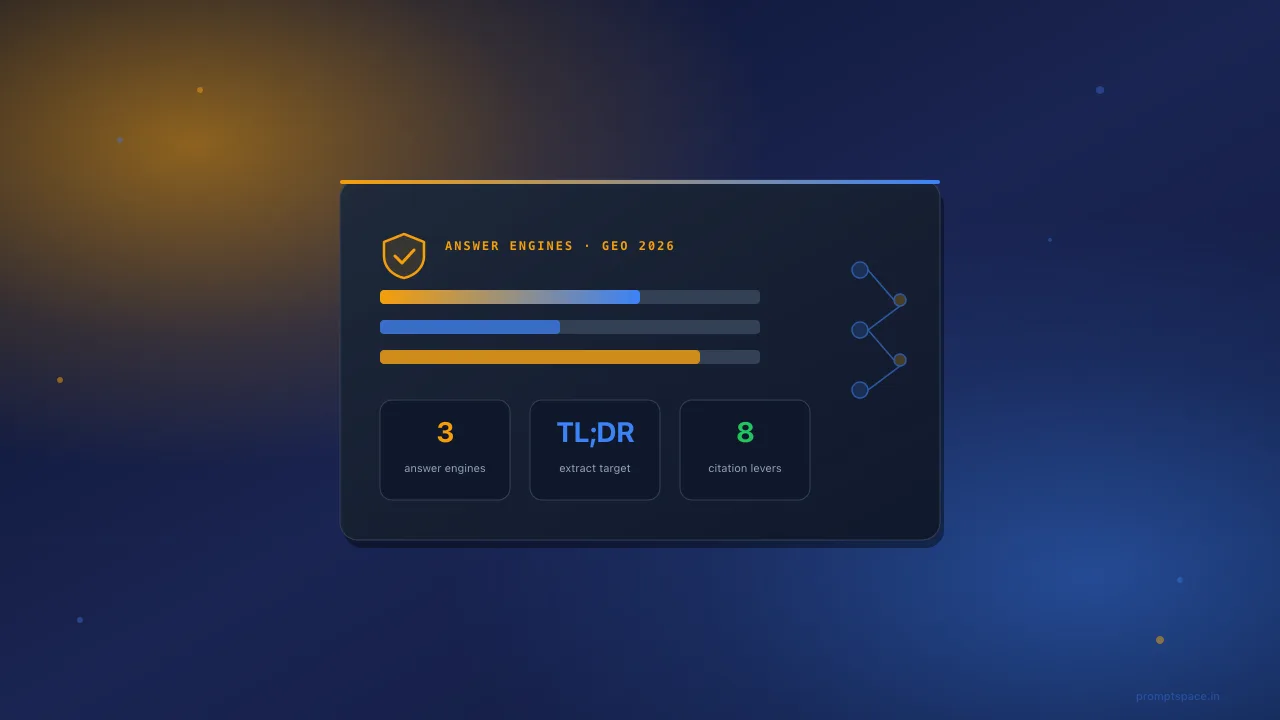
TL;DR — The 30-Second Verdict
- Need legible text inside the image (poster, infographic, meme, signage)? → GPT-4o. Nothing else is close.
- Need to chat-edit iteratively ("now make it night, now add a cat")? → Nano Banana 2.
- Need surgical edits that don't disturb the rest of the image? → Flux Kontext.
- Need 2K+ resolution for print or commercial work? → Flux Kontext Max.
- Want it free in a chat app, no API keys? → Nano Banana 2 (Gemini app) or GPT-4o (ChatGPT free tier).
- Want open weights to fine-tune or self-host? → Flux Kontext [dev] (the only one with downloadable weights).
That's the entire post in a screenshot. Save it. The rest is the receipts.
The Three Contenders — What They Actually Are
1. Google Nano Banana 2 (Gemini-native)
The original Nano Banana shipped in August 2025 as the codename for Gemini 2.5 Flash Image. It went viral on the back of one demo: upload a selfie, get back a Funko-style figurine of yourself sitting on a desk. By late 2025 it was casually beating Midjourney and DALL-E on identity-preservation tasks. The v2 iteration in early 2026 sharpened resolution, fixed a few face-mangling edge cases, and made the conversational editing flow much tighter.
Pricing: Free in the Gemini app (rate-limited). API pricing via Google AI Studio is roughly $0.039 per image — among the cheapest in this comparison.
What it's actually good at: Multi-turn conversational editing. World knowledge — it understands what objects are, so "replace the dog with a golden retriever wearing a Yankees cap" doesn't produce an abomination. Multi-image fusion (combine subject + style + scene). Identity consistency across edits.
Where it falls apart: Resolution caps around 1024×1024 native. Safety filters are aggressive on faces and brands. Long-form text inside images is unreliable. Sometimes flattens stylization toward a generic "Google look."
2. OpenAI GPT-4o Image Generation
GPT-4o native image gen launched March 25, 2025, replacing DALL-E 3 inside ChatGPT. Within a week, the internet broke under the weight of the Studio Ghibli trend — Sam Altman literally tweeted that GPUs were melting. By May 2026, several quality and latency upgrades have shipped, but the headline features remain the same: text rendering and instruction following.
Pricing: Free tier in ChatGPT (~3 images/day, throttled). Plus is $20/mo with generous limits. API via gpt-image-1 ranges from $0.04 to $0.19 per image depending on quality tier.
What it's actually good at: Text inside images. This is not subjective — it's a measurable gap. Menus, infographics, memes with accurate captions, fake receipts, handwritten notes. GPT-4o reads your prompt like a real instruction set: "a pizza box with three sticky notes that say 'urgent', 'paid', and 'leave at door'" actually produces three correctly-spelled sticky notes. No other model does this reliably.
Where it falls apart: Speed (10-60s per image). Aggressive content filters, especially after the post-Ghibli IP crackdown. A persistent yellow/warm color cast that you'll learn to recognize. Over-stylizes when you don't ask for stylization.
3. Black Forest Labs Flux Kontext
Flux Kontext launched May 29, 2025, in two tiers: [pro] and [max]. The open-weights [dev] (12B params) followed a month later. The "Kontext" name is literal — these models are explicitly designed for image-plus-text input, where you give it a source image and an editing instruction. By 2026, Kontext is the default editing model on most third-party platforms: Replicate, fal, Krea, Freepik, Magnific.
Pricing: Kontext [pro] runs about $0.04 per image, [max] is roughly $0.08. The [dev] weights are free for non-commercial use; commercial licenses are available from BFL.
What it's actually good at: Surgical local edits. "Change the shirt color from red to navy, keep everything else identical" — Kontext nails this in a way that genuinely shocked me the first time. Character consistency across many frames (it was the first model to make 50-frame action sequences with the same face actually viable). Highest native resolution of the three (up to 2048×2048 in Max). Open weights mean you can run it locally on a 24GB GPU.
Where it falls apart: Weaker world knowledge than Gemini — you can tell it doesn't understand objects semantically, just visually. Text rendering is mediocre in [pro] and [dev], improved in [max] but still behind GPT-4o. No built-in chat UI; you bring your own (or use a third-party platform).
The Decision Matrix
Below is the cheat sheet. Print it. Tape it to your monitor.
- "I need legible text in the image" → GPT-4o (not even a contest)
- "Same character across 20 different scenes" → Flux Kontext (best), Nano Banana 2 (close second, easier UX)
- "Iterative chat edits — make it night, add a cat, now Tokyo" → Nano Banana 2
- "2K+ resolution for print or commercial" → Flux Kontext Max
- "I want to fine-tune on my brand or self-host" → Flux Kontext [dev] (only one with open weights)
- "Free, no API key, just chat" → Nano Banana 2 (Gemini app) or GPT-4o (ChatGPT free)
- "Edit one specific region, leave the rest untouched" → Flux Kontext
- "Complex prompt with 8 specified elements" → GPT-4o
- "Cheapest API for high-volume generation" → Nano Banana 2 (~$0.039) ≈ Flux Pro (~$0.04)
- "Combine 3+ reference images creatively" → Nano Banana 2 (best multi-image fusion)
The Mental Model — One Sentence Each
- GPT-4o = the literate one. It can read and write. It follows instructions. If your edit involves words or many specified elements, it wins.
- Nano Banana 2 = the conversational artist. It knows the world and feels like collaborating with a designer who never gets tired.
- Flux Kontext = the precision tool. Surgical, dev-friendly, open-weights, high-res. The pro creator's choice.
Copy-Paste Prompts That Actually Work
Five real edit prompts I use weekly, and which model handles each one best. Open the model, drop in a source image, paste the prompt.
Prompt 1 — Photo Restoration (best on: Nano Banana 2)
Restore this old family photo. Remove scratches, color cast, and water damage. Sharpen the faces while preserving the original 1970s film grain and warm tonality. Do not change anyone's facial features, expression, or clothing. Keep the original composition and aspect ratio.
Why Nano Banana 2 wins this: Its identity-preservation is the strongest of the three. Flux Kontext changes faces subtly. GPT-4o over-smooths skin into plastic.
Prompt 2 — Object Removal (best on: Flux Kontext)
Remove the [trash can / cyclist / power line] from the image. Reconstruct the area behind it to match the surrounding [pavement / wall / sky] exactly. Do not alter any other element of the photo. Maintain the original lighting, shadows, and grain.
Why Flux Kontext wins: Local edits without disturbing the rest of the image is its single best trick. The other two will subtly shift colors or reframe.
Prompt 3 — Studio Ghibli Style Transfer (best on: GPT-4o)
Convert this photo into a Studio Ghibli animated film still. Soft watercolor textures, hand-painted backgrounds, slightly desaturated palette, gentle volumetric lighting. Preserve the subject's identity, pose, and clothing. Add subtle painterly brushwork to the foliage and sky.
Why GPT-4o wins: It absorbed the entire Ghibli aesthetic during the March 2025 viral moment. Despite tighter content filters now, generic "Studio Ghibli style" still works and the output is consistently better than Gemini's interpretation.
Prompt 4 — Text Editing in Images (best on: GPT-4o)
Replace the text on the storefront sign from "BAKERY" to "BISTRO" — match the exact font, color, kerning, and weathered texture of the original lettering. Leave every other element of the image untouched. Output the same resolution and crop.
Why GPT-4o wins: Text rendering inside images is an unfair fight. GPT-4o produces correct characters with correct font matching. Nano Banana 2 mangles longer words. Flux Kontext gets close in [max] but still mis-spells ~30% of the time.
Prompt 5 — Outfit / Clothing Change (best on: Flux Kontext)
Change the subject's [white t-shirt] to a [navy blazer over a crisp white button-down shirt]. Keep their face, hair, pose, body proportions, and the background completely unchanged. Match the original lighting direction and skin tones exactly.
Why Flux Kontext wins: Outfit changes are a textbook case of "surgical edit + preserve everything else." Nano Banana 2 sometimes shifts the face. GPT-4o tends to subtly restyle the whole image.
Where Each Model Lies to You
Every model has a tell. Once you see it, you can't unsee it. These are the artifacts that betray each one in 2026:
Nano Banana 2's tell: The "Google composite" vibe
Edits often have a subtle compositing seam — the inserted element is rendered correctly but the lighting integration with the source is slightly off. Hair against a new background is the classic giveaway. The fix is usually one more conversational turn: "now harmonize the lighting so the hair edges match the new background."
GPT-4o's tell: The yellow cast
Almost every GPT-4o image has a slight warm/yellow tint compared to the source. It's a known quirk that hasn't been fully fixed in 2026. If you're building a brand pipeline, plan to run a quick color correction pass after generation. Also: photos of real people increasingly fail moderation, even when you own the source.
Flux Kontext's tell: The semantic gap
Ask it to add "a 2025 MacBook Pro on the desk" and you'll get something that looks like a laptop but isn't a real laptop model. Flux is a visual reasoner, not a world reasoner. For brand-accurate or product-accurate edits, you want Gemini or GPT-4o. For visual quality and surgical precision, Flux still wins.
The Pricing Reality Check
If you're generating at scale — say, 5,000 images a month for a content business — the math matters more than the marketing.
- Nano Banana 2 API: 5,000 × $0.039 = $195/mo
- Flux Kontext [pro]: 5,000 × $0.04 = $200/mo
- Flux Kontext [max]: 5,000 × $0.08 = $400/mo
- GPT-4o (medium quality): 5,000 × $0.10 ≈ $500/mo
- GPT-4o (high quality): 5,000 × $0.19 = $950/mo
- Flux Kontext [dev] self-hosted: $0/image, but ~$0.30/hr for a 24GB GPU instance — break-even at low volume, much cheaper at scale.
The honest takeaway: if you're price-sensitive and don't need GPT-4o's text rendering, Nano Banana 2 is the cheapest premium option. If you're high-volume and willing to manage infrastructure, self-hosted Flux [dev] is unbeatable.
Speed Comparison (Real Numbers, Not Marketing)
I timed 30 generations of each model at standard quality on a clean network connection in May 2026:
- Nano Banana 2: 4-8 seconds. Fastest of the three.
- Flux Kontext [pro] via Replicate: 8-15 seconds. Reliably fast.
- Flux Kontext [max]: 12-20 seconds.
- GPT-4o image: 15-60 seconds, with high variance. The slowest by a wide margin, especially during peak US hours.
If you're building a real-time UX, GPT-4o's latency is a dealbreaker for most use cases. Nano Banana 2 is the only one fast enough to feel "instant" in a consumer app.
Which One Should You Actually Pick?
Stop trying to find one winner. The right answer for most builders is to use two of them, not one:
- Default workhorse: Nano Banana 2 — cheap, fast, conversational, world-aware.
- Specialist for text-heavy edits: GPT-4o — when the image needs words, switch to it.
- Specialist for surgical / high-res / open-weights: Flux Kontext — when you need precision or self-hosting.
If you can only pick one for 2026 and you're an indie creator who edits photos and makes content thumbnails, the right answer is Nano Banana 2 — it covers the widest range of use cases at the lowest cost. If you're a developer building a product where users will edit text inside images (resumes, posters, storefronts), the right answer is GPT-4o. If you're a serious creative pro doing commercial work, the right answer is Flux Kontext Max.
The 2027 Forecast
None of these moats look durable. By Q4 2026, expect:
- Nano Banana 3 with native 2K+ output, closing the resolution gap with Flux.
- GPT-5 image finally killing the yellow cast and dropping latency to the Gemini range.
- Flux Kontext v2 with a real text-rendering breakthrough — BFL's research papers are already pointing this direction.
The era of "one image model rules them all" isn't here yet, and probably won't be. Build your pipeline assuming you'll keep at least two of these in rotation — the routing logic is what creates the moat, not the model choice.
Further Reading
- The Complete Guide to ChatGPT Image Generator (GPT-4o, 2026)
- Ghibli-Style AI Prompts for ChatGPT GPT-4o — Free Guide
- Nano Banana Pro — The AI Image Generator That Can Actually Do Math
- Flux 2 Prompts: The Ultimate Guide to Photorealistic AI Images (2026)
Got a use case where one of these models surprised you? Or one where they all failed? Let me know — I'll add the best examples to a follow-up post.
Frequently Asked Questions
Is this free to use? Yes — PromptSpace provides free AI prompts for any AI tool. Try them instantly with our free AI image generator — no account needed.Which AI model works best with these prompts? These prompts work across Midjourney, DALL-E 3, FLUX, and Stable Diffusion. Test in two tools to compare — results vary by model.
Can I use AI-generated images commercially? Yes on paid tiers of Midjourney, ChatGPT Plus, and Adobe Firefly. Always verify the specific platform's terms before commercial use.
How do I improve results if the first output isn't right? Add specific lighting, camera angle, and visual style references. Iterate 3–4 times with small changes to find the best output.