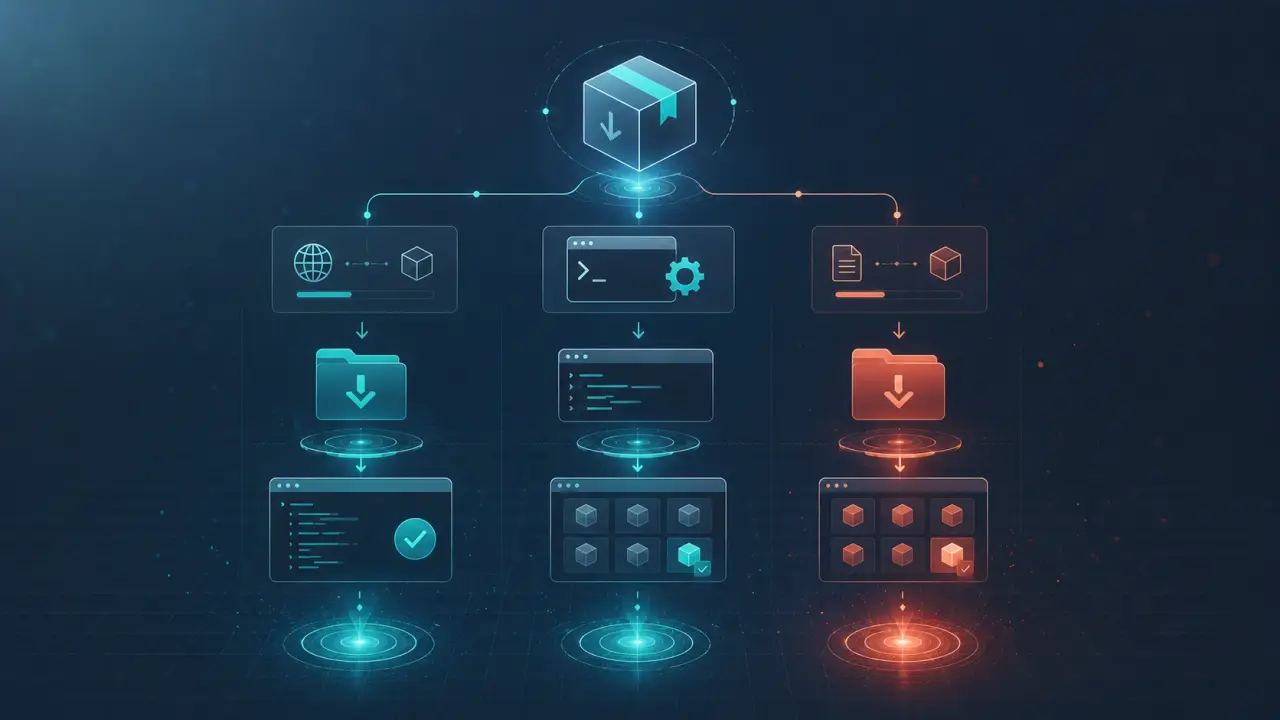
Adding a skill to Claude Code is remarkably simple and fast, enabling you to customize and enhance your AI assistant’s capabilities in no time. At its core, adding a skill means placing a SKILL.md file in the correct directory—no complicated package managers, no build steps, and no configuration files. This streamlined approach makes it accessible for developers and non-developers alike. In this guide, we will explore four practical methods to add new skills to Claude Code: downloading from a marketplace, cloning from GitHub, creating your own skill from scratch, and sharing skills within your team at the project level.
Method 1: Download from Agensi
The quickest way to add a skill to Claude Code is by downloading a ready-made one from Agensi, a marketplace dedicated to Claude Code skills. Agensi offers a wide range of skills, from code reviewing tools to productivity enhancers, all curated for easy integration. To add a skill from Agensi, follow these simple steps: 1. Visit the Agensi skills marketplace at https://www.agensi.io/skills and browse the available options. 2. Select the skill you want and download the provided zip file. 3. Open your terminal and unzip the file into your Claude skills directory using the following commands:```bash mkdir -p ~/.claude/skills/ unzip skill-name.zip -d ~/.claude/skills/ ```
Once unzipped, Claude Code will automatically detect the new skill the next time it runs. No further configuration is needed.
Tip: Keep your skills organized by naming each skill folder clearly and consistently, such as 'code-reviewer' or 'bug-tracker'. This makes it easier to manage multiple skills.
Real-World Use Case: Suppose you are a developer who frequently reviews pull requests. By downloading a 'code-reviewer' skill from Agensi, you can automate code analysis and receive actionable feedback directly within Claude Code, saving hours in manual review.
Method 2: Clone from GitHub
Many Claude Code skills are open source and hosted on GitHub, allowing you to clone and customize them. This method is particularly valuable if you want to tweak a skill’s behavior or contribute improvements back to the community. To clone a skill from GitHub, use the following steps: 1. Identify the GitHub repository containing the skill, for example, https://github.com/username/claude-skill-example. 2. Open your terminal and clone the repository into your skills directory:```bash git clone https://github.com/username/claude-skill-example.git ~/.claude/skills/skill-name ```
3. Verify that the repository contains a SKILL.md file at its root, as this is essential for Claude Code to recognize the skill.
Once cloned, the skill is ready to use immediately. You can also pull updates from the repository to keep the skill current.
Tip: Use `git pull` regularly to sync your cloned skills with upstream changes. This ensures you benefit from bug fixes and new features.
Real-World Use Case: Imagine your team maintains a custom skill that formats code snippets according to your company’s style guide. By cloning this skill from the team’s GitHub repo, every member can run Claude Code with consistent formatting rules automatically applied.
Method 3: Build Your Own Skill
Creating a skill from scratch is straightforward with Claude Code’s simple skill structure. Each skill is defined by a SKILL.md file that contains instructions, prompts, and any necessary metadata. Here’s how to build your own skill: 1. Create a new directory in your skills folder:```bash mkdir -p ~/.claude/skills/my-new-skill ```
2. Inside this directory, create a file named SKILL.md. 3. Write your skill instructions and prompts inside SKILL.md using markdown format. For example, you might define a task like "Summarize code changes" or "Generate test cases." 4. Save the file. Claude Code will automatically detect the skill next time it runs.
Example SKILL.md content:
```markdownSummarize Code Changes
This skill reads a diff and generates a concise summary of changes.Input
The diff output of the code changes.Output
A clear, bullet-point summary of the modifications. ```Tip: Keep your instructions clear and concise. Use markdown formatting to organize sections and provide examples inside the SKILL.md file to guide Claude’s behavior.
Real-World Use Case: As a QA engineer, you can create a skill that generates test scenarios based on user stories. Writing detailed instructions in SKILL.md enables Claude Code to assist in creating comprehensive test plans automatically.
Method 4: Share Project-Level Skills Across Your Team
For teams working on collaborative projects, it’s often useful to share a set of custom skills that everyone can access. Claude Code supports project-level skills, which reside within the project directory rather than the user’s home folder. To add project-level skills: 1. Navigate to your project’s root directory. 2. Create a skills folder if it doesn’t exist:```bash mkdir -p ./claude/skills ```
3. Add your SKILL.md files or skill directories here.
When running Claude Code within this project directory, it will load the project-level skills in addition to user-level ones. This ensures that everyone on the team benefits from shared capabilities without manual installation.
Tip: Use version control (e.g., Git) to manage and distribute project-level skills. This way, skill updates propagate automatically to all team members when they pull the latest changes.
Real-World Use Case: A product team can maintain a skill that generates user story summaries or acceptance criteria. By sharing this skill in the project folder, the entire team can generate consistent documentation directly from Claude Code.
Additional Tips for Managing Claude Code Skills
1. Backup Your Skills: Regularly back up your skills folder, especially if you create custom skills that are critical to your workflow. 2. Test Skills Thoroughly: Before sharing skills with your team, test them in different scenarios to ensure reliability. 3. Document Skill Usage: Provide README files or comments within SKILL.md to help users understand each skill’s purpose and input/output format. 4. Stay Updated: Follow Claude Code community forums or repositories to discover new skills and updates.Conclusion
Adding skills to Claude Code is a seamless process designed to empower users and teams with enhanced AI capabilities. Whether you prefer to download ready-made skills, clone and customize open-source ones, build your own from scratch, or share skills across your project, Claude Code’s flexible approach makes it easy. By leveraging these methods, you can tailor Claude Code to your unique workflow, automate repetitive tasks, and unlock new efficiencies in your development and collaboration processes. Start adding skills today and watch your Claude Code assistant become smarter, faster, and more aligned with your needs.Frequently Asked Questions
Are these prompts free? Yes — all PromptSpace prompts are free to copy and use. Browse our ChatGPT Prompts library for hundreds more.Do these work on the free tier? Most work on free tiers. Complex prompts may perform better on paid versions (ChatGPT Plus, Claude Pro) with larger context windows.
How do I get better AI results? Be specific: include your role, desired format, target audience, and any constraints. More context always improves output.
Can I modify these prompts for my use case? Absolutely — treat every prompt as a starting template. Customize the role, topic, tone, and format to match your needs.