Claude Code recently shipped a full plugin system. You can now run `/plugin` in your terminal to browse, install, and manage extensions from plugin marketplaces. If you were already using SKILL.md skills, you might be wondering: what's the difference? Do plugins replace skills? Do I need both? Short answer: plugins are the distribution format. Skills are the content. Plugins bundle skills (and more) into installable packages. > Quick Answer: Plugins bundle skills (and more) into installable packages, acting as the distribution format. Skills are the content, typically individual SKILL.md files that can be part of a plugin or used independently.
What a plugin actually is
A plugin is a folder with a `plugin.json` manifest that can contain any combination of: - Skills — the same SKILL.md files you already know - Agents — sub-agents that run as isolated tools - Hooks — scripts that trigger on specific events (pre-commit, post-edit, etc.) - MCP servers — external service connections bundled with the plugin - Slash commands — custom `/commands` you can invoke directly When you install a plugin, you get everything inside it. A plugin called `commit-commands` might include a skill for writing commit messages, a hook that runs before every commit, and a slash command `/commit` to trigger it manually.How the plugin system works
Open Claude Code and type `/plugin`. You'll see four tabs: Discover — browse available plugins from your connected marketplaces. Installed — manage what you've already installed. Marketplaces — add or remove plugin sources. Errors — troubleshoot anything that failed to load. The official Anthropic marketplace (`claude-plugins-official`) is pre-configured. It contains verified plugins maintained by Anthropic and approved third-party creators. To add a community marketplace: ```bash /plugin marketplace add owner/repo ``` This accepts GitHub repos, Git URLs, or local paths. After adding a marketplace, its plugins show up in the Discover tab.Skills still work the same way
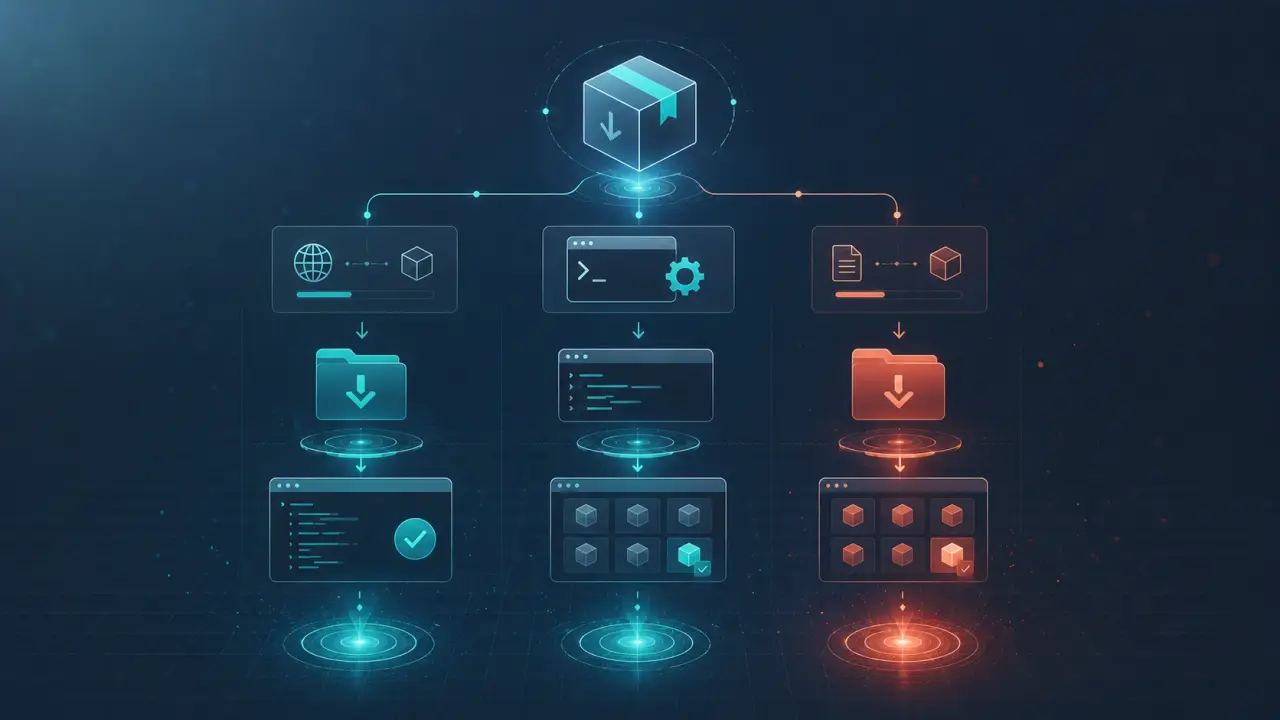
Here's the important part: if you already have SKILL.md files in `~/.claude/skills/` or `.claude/skills/`, they still work. Nothing changed. The plugin system is additive — it's a new way to discover and install skills, not a replacement for the skills directory. The relationship: | Method | How it works | Best for | |--------|-------------|----------| | Manual skills | Drop SKILL.md into `~/.claude/skills/` | Custom skills you wrote yourself | | Plugin install | `/plugin install name@marketplace` | Community and marketplace skills | | Curl one-liner | `curl -sL agensi.io/api/install/The marketplace landscape
Multiple plugin marketplaces already exist: Official Anthropic marketplace — pre-configured, contains verified plugins. Small but curated. Community GitHub repos — anyone can create a `marketplace.json` file in a GitHub repo and distribute plugins. Quality varies enormously. Agensi — marketplace for individual SKILL.md skills with security scanning. Also offers MCP-based live access so your agent can pull skills on demand without installing plugins. Directory sites — several indexing sites have appeared that aggregate plugins and skills from GitHub. These are discovery layers, not curated marketplaces.Security considerations
The plugin system introduces new security surface area. A plugin can include hooks (scripts that run automatically on events), MCP servers (external connections), and slash commands (executable workflows). This is more powerful than a SKILL.md skill, which is just instructions. Before installing a plugin: - Check the source marketplace. Official Anthropic plugins are verified. Community plugins are not. - Read what the plugin contains. Does it include hooks or MCP servers? Those execute code on your machine. - Check the creator's profile and repository activity. For skills specifically, Agensi security-scans every submission before listing — checking for dangerous commands, hardcoded secrets, prompt injection, and obfuscated code. The plugin system doesn't have this level of review for community marketplaces.When to use plugins vs skills vs MCP
Use manual skills when: - You wrote the skill yourself for your specific project - You bought a skill from a marketplace and want a local copy - You want full control over what's installed Use plugins when: - You want a complete package (skill + hooks + commands) - You want easy install/update via `/plugin` - You're using the official Anthropic marketplace Use MCP when: - You want your agent to discover and load skills automatically - You don't want to manage files or plugins manually - You want access to a full catalog without installing everything Agensi combines the best of both: security-scanned skills with a one-command curl installer, so you can add any skill to Claude Code without manual unzipping or folder management.Setting up all three
```bash1. Manual skills (already works)
ls ~/.claude/skills/2. Add the Anthropic plugin marketplace (already configured)
/plugin3. Install an Agensi skill with one command
mkdir -p ~/.claude/skills && curl -sL https://www.agensi.io/api/install/Frequently Asked Questions
Are these prompts free? Yes — all PromptSpace prompts are free to copy and use. Browse our ChatGPT Prompts library for hundreds more.Do these work on the free tier? Most work on free tiers. Complex prompts may perform better on paid versions (ChatGPT Plus, Claude Pro) with larger context windows.
How do I get better AI results? Be specific: include your role, desired format, target audience, and any constraints. More context always improves output.
Can I modify these prompts for my use case? Absolutely — treat every prompt as a starting template. Customize the role, topic, tone, and format to match your needs.