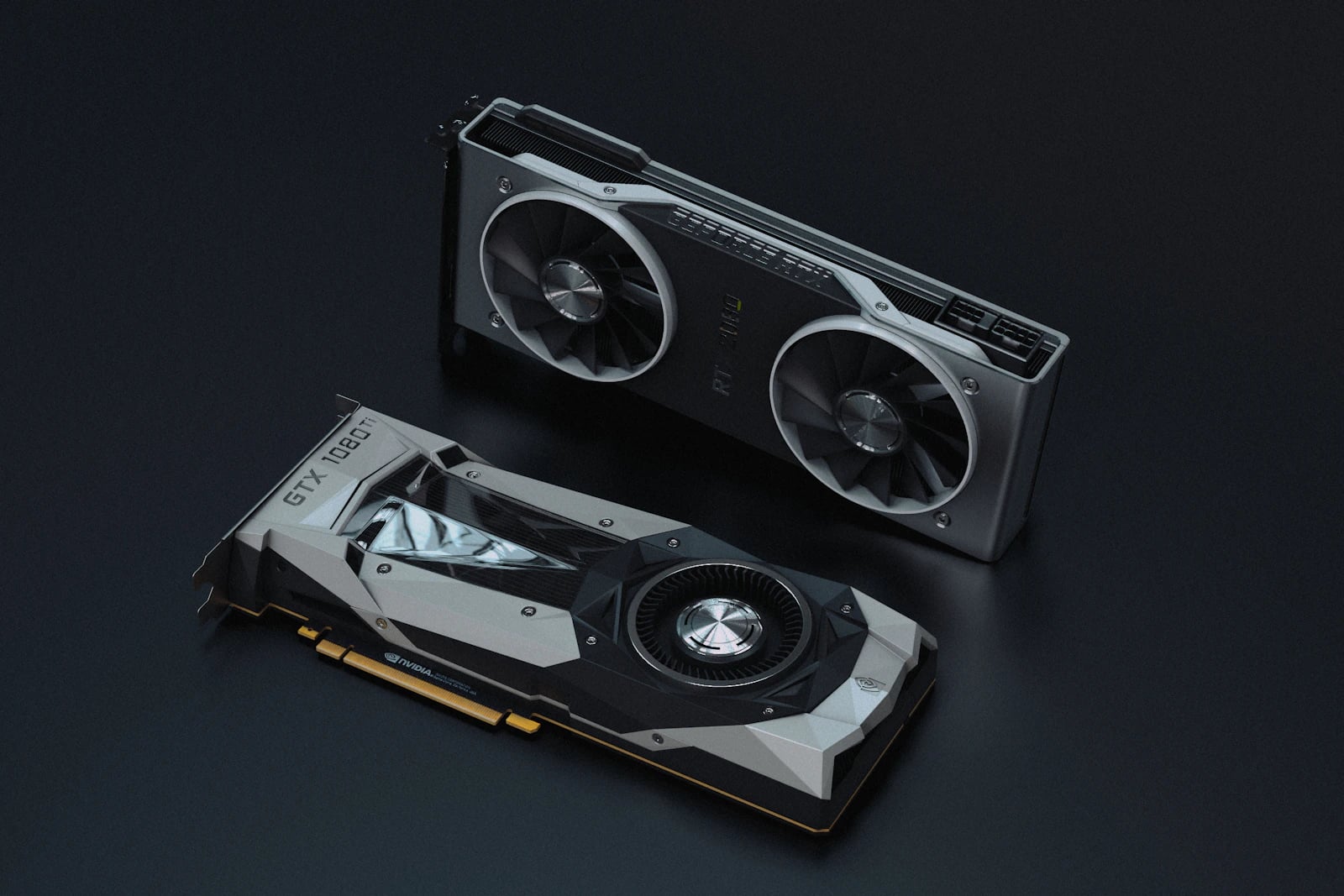
I've wasted more money on GPU upgrades than I'd like to admit. My first card couldn't even load SDXL without crashing, and I didn't understand why until I learned what VRAM actually does. Running AI image generators locally gives you unlimited free generations, full privacy, and access to every model and customization option available - but to make this work, you need the right hardware. The most critical component by far is your GPU, specifically its VRAM (video memory). Here is exactly what you need based on your budget, goals, and the models you want to run in 2026.
Understanding VRAM: The Most Important Spec
Before we get into specific GPUs, you need to understand why VRAM matters so much. AI image generation works by loading a neural network model into your GPU's memory, then running calculations on it to produce images. The model must fit entirely in VRAM - if it doesn't fit, generation either fails completely or falls back to shared system RAM, which is 10-20× slower.Here's what different VRAM amounts can handle: - 8 GB VRAM: Stable Diffusion 1.5 at 512×512. SDXL with optimizations at reduced quality. Cannot run FLUX models. Very limited. - 12 GB VRAM: SDXL comfortably at 1024×1024. FLUX [schnell] with optimizations. Most LoRAs. This is the practical minimum. - 16 GB VRAM: Every current model including FLUX [dev] at full resolution. ControlNet pipelines. Comfortable batch generation. - 24 GB VRAM: Everything above plus simultaneous model loading, maximum resolution output, complex multi-model pipelines, and training custom LoRAs.
The rule is simple: buy as much VRAM as you can afford. It is the single factor that determines what you can and cannot do.
Minimum Requirements: The Budget Build
GPU: NVIDIA RTX 3060 12GB (~$300 used)
The RTX 3060 12GB is the entry point for serious AI image generation. The 12 GB VRAM is the crucial specification here - avoid the RTX 3060 8 GB variant at all costs, as those missing 4 GB make the difference between running modern models comfortably and not running them at all. This card handles SDXL, FLUX [schnell] (with fp8 quantization), and virtually all Stable Diffusion 1.5 models at 512-1024px resolution. Typical generation times range from 5-15 seconds per image depending on the model and resolution.Supporting Hardware
- CPU: Any modern quad-core or better (Intel 12th gen+, AMD Ryzen 5000+). The CPU matters far less than the GPU for image generation. - RAM: 16 GB minimum, though 32 GB is recommended if you want to run a web UI and other applications simultaneously. - Storage: An NVMe SSD is strongly recommended. Models range from 2-7 GB each, and loading them from a spinning hard drive adds 30-60 seconds of wait time. A 1 TB NVMe lets you store a good library of models with fast switching. - Power supply: 550W or higher for the RTX 3060.What You Can Do
Generate images with SDXL, SD 1.5, and FLUX [schnell]. Use ControlNet for pose and composition control. Run basic upscaling with Real-ESRGAN. Apply most LoRAs. This setup handles hobbyist and casual professional workflows well.Recommended Setup: The Sweet Spot
GPU: NVIDIA RTX 4070 Ti Super 16GB (~$800) or RTX 4080 Super 16GB (~$1,000)
This is the sweet spot for serious AI art enthusiasts and semi-professional creators. 16 GB VRAM handles every current model without compromise, including FLUX [dev] at full resolution, complex ControlNet pipelines with multiple control images, and comfortable batch generation of 10+ images at a time. Generation times are 2-8 seconds per image - fast enough that experimentation feels instant.The RTX 4070 Ti Super offers the best performance-per-dollar in this tier. The RTX 4080 Super is roughly 20% faster and worth the premium if your budget allows. Both cards support the latest CUDA optimizations and run all major AI frameworks (PyTorch, TensorFlow) with full hardware acceleration.
Supporting Hardware
- CPU: Intel 13th/14th gen i5+ or AMD Ryzen 7000 series - RAM: 32 GB DDR5 recommended. Running ComfyUI with multiple model loads and a browser benefits from ample system memory. - Storage: 1-2 TB NVMe SSD. With 16 GB VRAM you'll want a larger model library - SDXL checkpoints, FLUX models, LoRAs, and ControlNet models add up quickly. - Power supply: 700W or higher.What You Can Do
Everything from the budget build, plus: FLUX [dev] at full quality, complex multi-ControlNet workflows, comfortable batch generation, Real-ESRGAN and Topaz upscaling, and basic LoRA training. This setup handles professional content creation workflows and can produce dozens of polished images per hour.High-End / Professional Setup
GPU: NVIDIA RTX 4090 24GB (~$1,600-$2,000)
The RTX 4090 is the undisputed king of local AI image generation. With 24 GB VRAM and massive CUDA core count, absolutely no model is off-limits. You can run multiple models simultaneously, generate at maximum resolution with all quality options enabled, and handle the most complex pipelines - ControlNet + IP-Adapter + upscaling - without ever hitting VRAM limitations. Generation times drop to 1-4 seconds per image, making rapid iteration and large batch jobs effortless.The 24 GB VRAM also unlocks LoRA training with larger batch sizes and higher resolution training images, producing better quality custom models in less time. If you plan to train custom LoRAs regularly, the 4090 is essentially required equipment.
Supporting Hardware
- CPU: Intel 14th gen i7+ or AMD Ryzen 9 7900X+ - RAM: 64 GB DDR5 for maximum flexibility - Storage: 2+ TB NVMe SSD - Power supply: 850W or higher (the 4090 draws up to 450W under load)Return on Investment
At $0.10-0.50 per image on cloud APIs, a $2,000 GPU investment pays for itself after 4,000-20,000 generations. Most active AI artists hit this within a few months. The unlimited, instant generation capability also changes your creative process - you experiment more freely when each image costs nothing.AMD and Apple Silicon Options
AMD GPUs
AMD's RX 7900 XTX (24 GB) and RX 7900 XT (20 GB) work with Stable Diffusion via ROCm on Linux. Support has improved significantly in 2026, but it still lags behind NVIDIA CUDA in several ways. Expect 20-40% slower generation times compared to equivalent NVIDIA cards. Some newer models and features (particularly FLUX optimizations and certain ControlNet implementations) may have compatibility issues or require workarounds. If you already own an AMD GPU, it is absolutely worth trying. But if you are buying specifically for AI art, NVIDIA remains the safer choice.Apple Silicon Macs
Apple Silicon Macs (M2 Pro/Max/Ultra, M3 Pro/Max/Ultra, M4 Pro/Max) run Stable Diffusion via MPS (Metal Performance Shaders) with decent performance. The M3 Max and M4 Max with 48-128 GB unified memory are particularly interesting because the large memory pool can load models that won't fit on even a 24 GB discrete GPU. However, generation speed is still significantly slower than equivalent NVIDIA GPUs - roughly 3-5× slower. FLUX models run on Apple Silicon but are impractically slow for iterative work. Best use case: running SD 1.5 and SDXL models when you already own the Mac for other work.Cloud Alternatives for Every Budget
If buying a dedicated GPU isn't feasible - or you want to try before you invest - cloud options let you access top-tier hardware by the hour:- Google Colab (Free tier): Limited free GPU time with an NVIDIA T4. Good for experimentation but sessions time out and the T4 is relatively slow. The Pro tier ($10/month) gives better GPUs and longer sessions. - RunPod ($0.20-0.80/hour): On-demand GPU instances with pre-built AI art templates. Spin up an RTX 4090 instance with ComfyUI pre-installed in under a minute. Pay only for the hours you use. - Vast.ai (cheapest GPU rentals): Community-sourced GPU marketplace with the lowest prices. RTX 3090 instances for as low as $0.15/hour. Less polished than RunPod but significantly cheaper for heavy use. - Replicate (per-image pricing): API-based access to FLUX and other models at $0.01-0.05 per image. No setup required - just send prompts and get images back. Great for automation and integration.
For casual users generating fewer than 500 images per month, cloud APIs (Replicate for FLUX, a Midjourney subscription) are more cost-effective than building a dedicated PC. The break-even point is typically around 1,000-2,000 images per month.
The Bottom Line: What Should You Buy?
Here is our recommendation based on different user profiles:- Casual hobbyist (< 100 images/month): Use Midjourney or cloud APIs. No hardware investment needed. - Serious hobbyist (100-500 images/month): RTX 3060 12GB + 16 GB RAM. Budget-friendly entry that runs all major models. ~$500 total build. - Enthusiast / semi-pro (500-2,000 images/month): RTX 4070 Ti Super 16GB + 32 GB RAM. The sweet spot - fast, capable, and future-proof for current models. ~$1,200 total build. - Professional / power user (2,000+ images/month): RTX 4090 24GB + 64 GB RAM. No compromises, maximum speed, LoRA training capability. ~$2,500 total build.
Start generating with PromptSpace prompts - copy from our library, paste into your local Stable Diffusion or ComfyUI setup, and create unlimited AI art with zero per-image costs.
Frequently Asked Questions
Is this free to use? Yes — PromptSpace provides free AI prompts for any AI tool. Try them instantly with our free AI image generator — no account needed.Which AI model works best with these prompts? These prompts work across Midjourney, DALL-E 3, FLUX, and Stable Diffusion. Test in two tools to compare — results vary by model.
Can I use AI-generated images commercially? Yes on paid tiers of Midjourney, ChatGPT Plus, and Adobe Firefly. Always verify the specific platform's terms before commercial use.
How do I improve results if the first output isn't right? Add specific lighting, camera angle, and visual style references. Iterate 3–4 times with small changes to find the best output.