SKILL.md Format Specification: Complete YAML Frontmatter Reference
> Quick Answer: A SKILL.md file has two parts: YAML frontmatter (between `---` markers) with required `name` and `description` fields, and a markdown body with the skill's instructions. The `name` must match the parent folder name. The `description` tells the agent when to activate the skill. All other frontmatter fields are optional. --- This is the definitive reference for the SKILL.md file format. Every field, every option, every constraint — with copy-pasteable examples.Minimum viable SKILL.md
Every valid SKILL.md needs exactly this: ```markdown --- name: code-reviewer description: Reviews code for bugs, security issues, and style violations. Use when the user asks to review code, check a PR, or find issues. ---Code Reviewer
Your instructions here. ``` That's it. Two required frontmatter fields and a markdown body. Everything else is optional.Required frontmatter fields
name
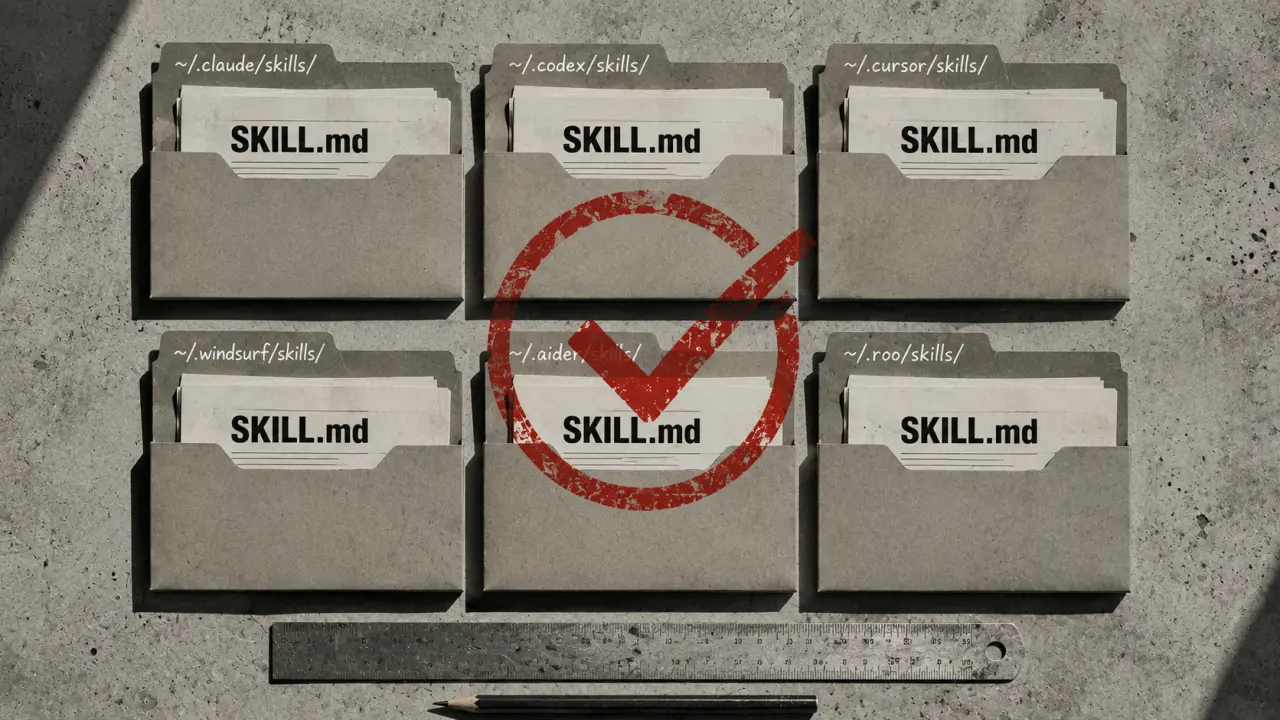
The skill identifier. Must match the parent folder name exactly. ```yaml name: code-reviewer ``` Rules: - Lowercase letters, numbers, and hyphens only - Must match the folder name (`~/.claude/skills/code-reviewer/SKILL.md`) - No spaces, underscores, or special characters - Case-sensitive on Linux/Mac Common mistake: naming the folder `Code-Reviewer` but setting `name: code-reviewer`. The mismatch causes the skill not to load.description
Tells the agent what the skill does and when to use it. This is the most important field in the entire file — it determines whether the agent activates the skill. ```yaml description: Reviews code for bugs, security issues, and style violations. Use when the user asks to review code, check a PR, or find issues in a file. ``` Rules: - One to three sentences - First sentence: what it does - Second sentence: when to use it (trigger phrases) - Include multiple phrasings of the same intent for better matching Good description: ```yaml description: Writes conventional commit messages from staged git changes. Use when the user asks to commit, write a commit message, or says "commit this." ``` Bad description: ```yaml description: A helpful tool for developers. ``` The agent uses the description to decide relevance. Vague descriptions mean the skill rarely activates. Specific descriptions with trigger phrases activate reliably.Optional frontmatter fields
when_to_use
Extended trigger guidance. Supplements the description with more detailed activation rules. ```yaml when_to_use: | - User asks to review code, check for bugs, or audit a file - User opens a PR and asks for feedback - User says "review", "check", "audit", or "find issues" - Do NOT use for: formatting, linting, or style-only checks ``` Supported by Claude Code, OpenClaw, and Codex CLI. Other agents may ignore this field but it won't cause errors.argument-hint
Tells the agent what input to provide when invoking the skill. ```yaml argument-hint: Provide the file path or code block to review. ```arguments
Structured arguments the skill accepts. ```yaml arguments: - name: file description: Path to the file to review required: true - name: focus description: What to focus on (security, performance, style) required: false default: all ```allowed-tools
Restricts which tools the skill can use. Security feature for limiting skill permissions. ```yaml allowed-tools: - read_file - list_directory - search_files ``` Agent support: Claude Code and OpenClaw enforce this. Other agents silently ignore it.context
Controls how the skill runs in relation to the main conversation. ```yaml context: fork ``` When set to `fork`, Claude Code runs the skill as an isolated subagent with its own context window. The skill's work doesn't pollute the main conversation. Agent support: Claude Code only. Other agents ignore this and run the skill inline.model
Specifies which model the skill should use when forked. ```yaml model: claude-sonnet-4-20250514 ``` Only relevant when `context: fork` is set. Useful for running cheaper models on routine tasks. Agent support: Claude Code only.effort
Controls reasoning depth. ```yaml effort: low # Fast, minimal reasoning effort: medium # Balanced (default) effort: high # Deep reasoning, more tokens ``` Use `low` for routine tasks (formatting, simple checks). Use `high` for complex tasks (architecture decisions, security audits).disable-model-invocation
When `true`, the skill only activates when explicitly invoked via `/skill-name`. The agent won't auto-activate it based on context. ```yaml disable-model-invocation: true ``` Useful for destructive or expensive operations you don't want triggered accidentally.hooks
Event-driven triggers that run automatically. ```yaml hooks: pre-commit: script: scripts/lint-check.sh post-edit: script: scripts/format.sh ``` Agent support: Claude Code only. Other agents ignore hooks.The markdown body
Everything below the closing `---` is the skill's instructions. The agent reads these when the skill activates.Structure
Use markdown headers to organize sections: ```markdown --- name: code-reviewer description: Reviews code for bugs, security, and style. ---Code Reviewer
What to check
1. Security vulnerabilities (injection, auth bypass, data exposure) 2. Logic errors (off-by-one, null handling, race conditions) 3. Style violations (naming, structure, patterns)Output format
For each issue found: - File: path/to/file.ts - Line: 42 - Severity: High/Medium/Low - Issue: Description - Fix: Suggested changeExamples
Good code (no issues)
[example here]Code with issues
[example here with expected output] ```Best practices for instructions
Be specific. "Check for SQL injection" is better than "check for security issues." Include examples. One concrete example beats three paragraphs of explanation. Show input and expected output. Use numbered steps for procedures. Agents follow numbered sequences more reliably than unstructured prose. Set boundaries. Tell the skill what NOT to do. "Do not modify code — only report issues" prevents the skill from making changes when you only wanted a review. Keep it focused. A skill should do one thing well. A 2,000-word skill that covers code review, testing, deployment, and documentation will underperform four separate 500-word skills.Supporting files
A skill folder can contain more than just SKILL.md: ``` code-reviewer/ ├── SKILL.md # Required: instructions ├── scripts/ # Optional: executable code │ └── parse-diff.sh ├── references/ # Optional: documentation │ └── owasp-top-10.md ├── assets/ # Optional: templates │ └── review-template.md └── agents/ # Optional: agent-specific config └── openai.yaml # Codex CLI metadata ``` scripts/ — Executable files the skill can reference. Must be chmod +x on Linux/Mac. references/ — Documentation the skill can read for additional context. Useful for encoding standards, checklists, and reference material without bloating the main SKILL.md. assets/ — Templates, sample files, and other resources. agents/openai.yaml — Codex CLI-specific metadata (UI appearance, MCP tool dependencies). Ignored by all other agents.Complete examples
Minimal skill
```markdown --- name: commit-writer description: Writes conventional commit messages from staged git changes. Use when the user asks to commit or write a commit message. ---Commit Writer
Read the staged diff with `git diff --cached`. Write a commit message following Conventional Commits format: type(scope): subject - type: feat, fix, docs, style, refactor, test, chore - scope: the module or area affected - subject: imperative mood, no period, under 72 chars Do not commit. Only output the message. ```Production skill with all features
```markdown --- name: security-audit description: Performs a security audit on code changes. Use when the user asks to check for vulnerabilities, audit security, or review for OWASP issues. when_to_use: | - User mentions security, vulnerabilities, OWASP, or CVE - User asks to audit a PR or codebase - Do NOT use for general code review (use code-reviewer instead) allowed-tools: - read_file - search_files - list_directory context: fork effort: high ---Security Audit
Scope
Check for OWASP Top 10 vulnerabilities: 1. Injection (SQL, NoSQL, OS command, LDAP) 2. Broken authentication 3. Sensitive data exposure 4. XML external entities (XXE) 5. Broken access control 6. Security misconfiguration 7. Cross-site scripting (XSS) 8. Insecure deserialization 9. Using components with known vulnerabilities 10. Insufficient logging and monitoringProcess
1. Read the files or diff provided 2. Check each OWASP category systematically 3. For each finding, provide severity, location, and remediation 4. Summarize with a risk rating (Critical/High/Medium/Low/Clean)Output format
Finding #N
- Category: OWASP category - Severity: Critical/High/Medium/Low - File: path:line - Issue: What's wrong - Remediation: How to fix itSummary
- Total findings: N - Critical: N | High: N | Medium: N | Low: N - Overall risk: [rating] ```Cross-agent compatibility
For maximum portability across all agents, use only these frontmatter fields: | Field | Claude Code | Codex CLI | Cursor | OpenClaw | Gemini CLI | Copilot | |---|---|---|---|---|---|---| | name | Yes | Yes | Yes | Yes | Yes | Yes | | description | Yes | Yes | Yes | Yes | Yes | Yes | | when_to_use | Yes | Yes | Partial | Yes | Yes | Partial | | allowed-tools | Yes | No | No | Yes | No | No | | context: fork | Yes | No | No | No | No | No | | hooks | Yes | No | No | No | No | No | Rule of thumb: if your skill uses only `name`, `description`, and plain markdown instructions, it works everywhere. Agent-specific fields are safely ignored by agents that don't support them. --- *Browse 300+ skills built on this format at agensi.io/skills. For a step-by-step creation guide, read How to Create a SKILL.md from Scratch.*Frequently Asked Questions
Is the content on this page free to use? Yes — all resources on PromptSpace are completely free. Try our free AI image generator or browse 4,000+ AI prompts at no cost.How do I get started with AI tools? Start with a clear goal and specific prompts. The more detail you provide — audience, format, tone, constraints — the better the AI output.
Can I use AI outputs commercially? On paid tiers of major platforms, yes. Always verify the specific tool's terms of service for your use case.
Where can I find more AI resources? PromptSpace has 4,000+ free AI prompts and 150+ free tools — browse the library or try the AI image generator.