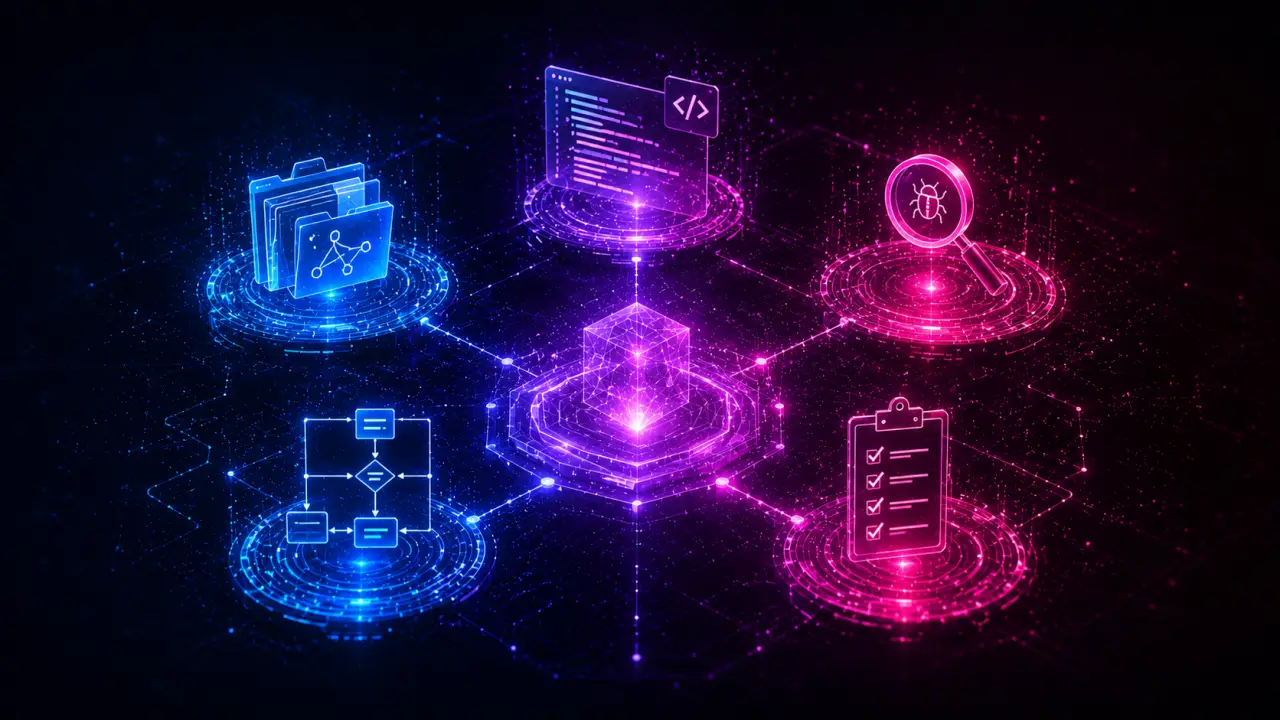
Installing individual skills in Claude Code is useful, but installing the right combination creates a workflow that's greater than the sum of its parts. After testing dozens of SKILL.md skills together, these bundles produce the best results when installed side by side in Claude Code, OpenClaw, or other compatible agents. By strategically combining related skills, you can automate complex development tasks more effectively and save time across your coding lifecycle.
Why Combinations Matter
Skills don’t operate in isolation. For example, a git-commit-writer produces better commit messages when you’ve already run code-reviewer on your changes because the review findings inform the commit description. Similarly, a changelog-generator creates clearer release notes when your commits follow a consistent format created by git-commit-writer. The key insight is that skills can create a pipeline: the output of one becomes the input context for the next. This synergy means your agent can handle multi-step workflows with fewer errors and more context awareness.The Code Quality Bundle
One of the most powerful bundles we’ve tested is the Code Quality Bundle, consisting of `code-reviewer`, `git-commit-writer`, and `pr-description-writer`. These three skills work together seamlessly to improve the process of submitting well-documented code changes. 1. `code-reviewer` scans your code changes and provides detailed feedback on bugs, style issues, and potential improvements. 2. `git-commit-writer` uses the reviewer's findings to draft a concise, informative commit message that highlights key changes and fixes. 3. `pr-description-writer` then takes both the code diffs and the commit message to generate a thorough pull request description that explains the context, motivation, and impact of the change. This workflow ensures that every commit and PR is clearly justified and documented, reducing back-and-forth during code reviews and speeding up merges.Practical Example
Imagine you’ve implemented a new feature and want to submit it for review. First, run `code-reviewer` on your changes; it spots a missing error check and suggests improvements to variable naming. Next, `git-commit-writer` composes a commit message that mentions these fixes along with the feature addition. Finally, `pr-description-writer` generates a PR description that summarizes the feature, lists the review suggestions addressed, and outlines any remaining concerns for reviewers to focus on. This end-to-end automation saves time and improves communication.Tips for Using the Code Quality Bundle
- Always run `code-reviewer` before committing code to catch issues early. - Customize commit message templates in `git-commit-writer` to align with your project's style. - Use the PR description as your primary communication tool by including links to related tickets or documentation. - Combine this bundle with CI tools to automate deployment triggers on successful PR merges.The Testing & Validation Bundle
Testing is critical to maintain software quality. The Testing & Validation Bundle pairs `unit-test-generator`, `test-runner`, and `test-coverage-analyzer` skills to automate test creation, execution, and reporting. 1. `unit-test-generator` analyzes your code and creates relevant unit tests covering edge cases and common scenarios. 2. `test-runner` executes these tests automatically upon code changes or on demand. 3. `test-coverage-analyzer` then evaluates how much of your codebase is covered by the tests and suggests areas needing additional testing.Real-World Use Case
Consider a startup building a new backend API. By integrating this bundle, developers get immediate test scaffolding for new endpoints, automated test execution with every push, and actionable insights into test gaps. This reduces manual QA overhead and catches regressions early.Steps to Implement
1. Install the three skills in Claude Code. 2. When writing new code, trigger `unit-test-generator` to create initial tests. 3. Use `test-runner` to validate tests pass before commits. 4. Monitor `test-coverage-analyzer` reports weekly to improve coverage.Tips
- Configure `test-runner` to integrate with your CI/CD pipeline. - Customize test generation parameters to fit your framework (e.g., Jest, Pytest). - Use coverage reports to prioritize critical areas for improving tests.The Documentation & Onboarding Bundle
Clear documentation accelerates onboarding and reduces knowledge silos. This bundle combines `docstring-generator`, `api-doc-writer`, and `onboarding-guide-creator` for automated documentation workflows. 1. `docstring-generator` adds detailed docstrings to your functions and classes based on code context and comments. 2. `api-doc-writer` compiles these docstrings into structured API documentation suitable for publishing. 3. `onboarding-guide-creator` generates tailored onboarding guides for new team members, highlighting key modules, coding standards, and setup instructions.Practical Example
A new developer joins your team and needs to understand the codebase quickly. With this bundle, your code automatically gains detailed docstrings, the API docs are always up to date, and the onboarding guide provides step-by-step instructions to get started. This reduces ramp-up time from weeks to days.Implementation Tips
- Run `docstring-generator` as part of your pre-commit hooks to keep code documented. - Schedule periodic runs of `api-doc-writer` to refresh published docs. - Customize onboarding guides with links to internal wikis and coding conventions.Combining Bundles for Full Development Workflows
You’re not limited to one bundle. For example, combining the Code Quality Bundle with the Testing & Validation Bundle creates an end-to-end code review, commit, testing, and documentation pipeline. Here’s a recommended sequence:1. Write or modify code. 2. Run `code-reviewer` to catch issues. 3. Generate tests with `unit-test-generator`. 4. Run tests using `test-runner` and check coverage. 5. Create commit messages with `git-commit-writer`. 6. Generate PR descriptions with `pr-description-writer`. 7. Update documentation via `docstring-generator` and `api-doc-writer`.
This comprehensive pipeline leverages multiple skills in harmony, ensuring quality, clarity, and maintainability.
Final Tips for Skill Combination Success
- Start small by combining two or three related skills to understand their interactions. - Monitor agent performance and adjust skill parameters to avoid information overload. - Document your bundle configurations so your team can reproduce your workflows. - Provide feedback to skill developers to improve compatibility and features.Conclusion
Choosing the right Claude Code skill combinations can transform your development workflow from manual and fragmented to automated and streamlined. Bundles like Code Quality, Testing & Validation, and Documentation & Onboarding have proven synergy that makes your coding, reviewing, testing, and documenting faster and more consistent. Experiment with these bundles and customize them to your team’s needs to unlock the full potential of Claude Code and compatible agents.Frequently Asked Questions
Are these prompts free? Yes — all PromptSpace prompts are free to copy and use. Browse our ChatGPT Prompts library for hundreds more.Do these work on the free tier? Most work on free tiers. Complex prompts may perform better on paid versions (ChatGPT Plus, Claude Pro) with larger context windows.
How do I get better AI results? Be specific: include your role, desired format, target audience, and any constraints. More context always improves output.
Can I modify these prompts for my use case? Absolutely — treat every prompt as a starting template. Customize the role, topic, tone, and format to match your needs.