Best Claude Code Skills for Solo Developers (2026)
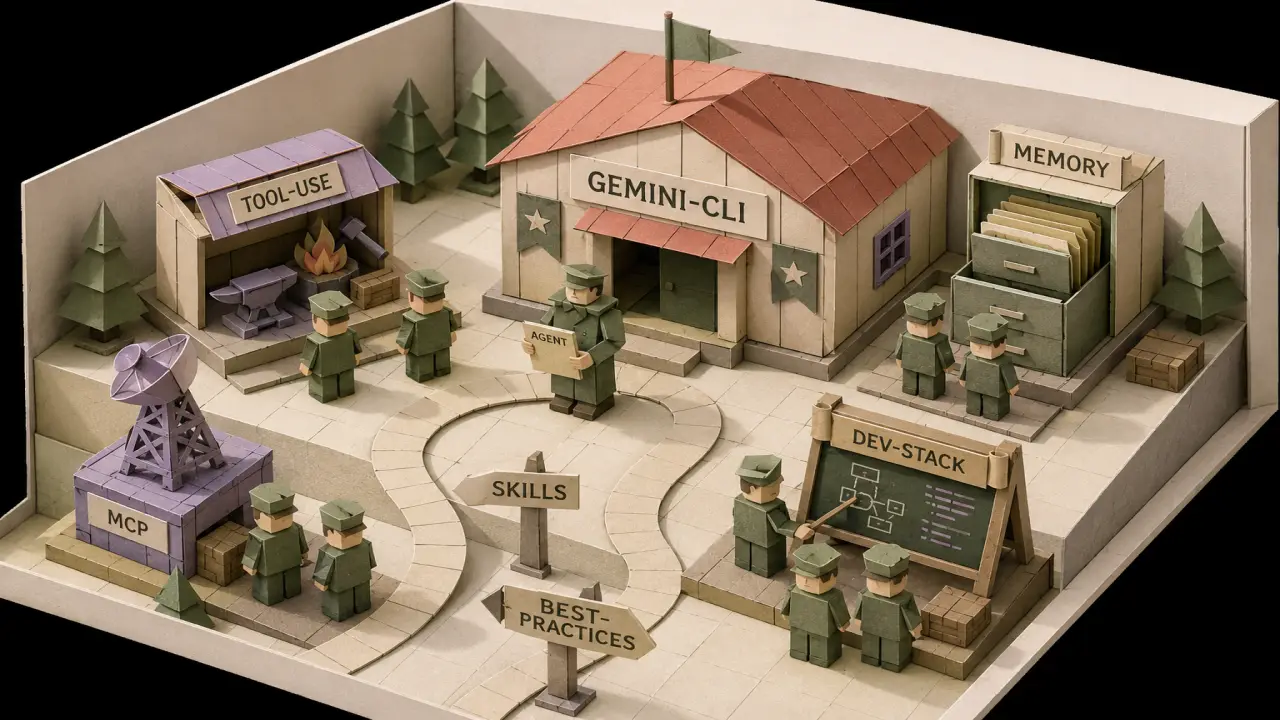
If you're a solo developer running Claude Code, your real bottleneck isn't the model — it's the cost of switching between writing code, reviewing code, debugging, documenting, and rewriting that documentation when you finally figure out what the bug actually was. Skills fix that. They turn a multi-step thing into a one-shot thing. After installing roughly forty of them across two indie projects, here are the seven I now consider table stakes for a one-person team in 2026, plus the workflow recipes that combine them.
Table of Contents
What's a "skill" actually?
Quick refresher in case you arrived from the prompt-engineering world: a Claude Code skill is a single Markdown file (SKILL.md) that tells Claude how to do one specific job — code review, root-cause debugging, generating tests, drafting commit messages, whatever. Claude reads it before the task and follows the playbook. You drop it in ~/.claude/skills/, restart your session, and the skill is on call whenever the relevant task shows up.
The mental model that helped me: prompts are how you ask, skills are how Claude already knows how to do it. A prompt asks "review this PR" and gets whatever Claude felt like that day. A skill says "review this PR using the checklist below, return findings as a Markdown table grouped by severity, never approve PRs that touch authentication without flagging" — and Claude does exactly that, every time, without you re-typing it.
If skills are new to you, the prompts-to-skills upgrade guide walks through the migration. The rest of this post assumes you've at least installed one.
Why solo devs benefit more than teams do
Big eng orgs have shared linters, code-review templates, on-call runbooks, RFC processes, mentorship, and a Slack channel where you can ask the staff engineer why the tests are flaky. Solo devs have… a folder of half-finished notes and the version of you from three months ago who definitely understood why this regex existed.
Skills are how a solo dev compounds. Every time you figure out a recurring pattern — how you like commits formatted, how you debug timeouts, how you onboard a new repo — you turn it into a 200-line skill, and from then on Claude does it for you exactly the way you'd do it. It's the closest thing to having a senior engineer's process, without the senior engineer.
The seven below cover the seven jobs I do every single working day. Install them in order — the first three pay for themselves in week one.
The 7 skills I install on day one
1. agentic-workflow — your default operating system
What it does: turns Claude Code from a "very smart autocomplete" into a real autonomous worker. The skill encodes the loop most solo devs converge on after a few months: read the relevant files first, write a plan, get checkpoint approval, execute the plan in small commits, run tests after each, summarise what changed and what's left.
Why solo devs need it: when you're the only person who knows the codebase, you can't afford Claude going off on a tangent and rewriting your auth layer because it "looked weird." The agentic-workflow skill makes Claude show its work at every step. You stay in the loop without being in the loop the whole time.
The first time I noticed it working: I asked Claude to "add Stripe billing to the API" — a 30-file change. Without the skill, it would've started writing migrations immediately. With the skill, it produced a 12-step plan, asked which step I wanted to approve first, and proceeded one commit at a time. The whole thing took 90 minutes. I was in the room for maybe 20.
2. root-cause-debugger — the one that earns its keep at 2am
What it does: when something's broken, Claude doesn't just patch the visible symptom — it traces the bug back to its root cause, distinguishes "what triggered it" from "what allowed it," and proposes a fix that addresses both. Includes a built-in five-whys loop.
Why solo devs need it: 90% of solo dev debugging time is spent on bugs you wrote a month ago and can't remember why. The root-cause-debugger forces Claude to actually understand the failure before suggesting a fix, which means you stop accumulating the "weird try/catch I added at 2am" technical debt that haunts every solo project.
Pair it with the agentic-workflow skill above and you get something close to a tireless senior debugging buddy. Hand it a stack trace, walk away to make coffee, come back to a written diagnosis with the actual fix already drafted.
3. inline-comment — your future-self insurance policy
What it does: generates inline code comments at the right level of abstraction — explains the why, not the what. Skips obvious lines, comments tricky regexes, flags non-obvious assumptions, and writes the kind of one-line "look here first" hints that future-you will thank present-you for.
Why solo devs need it: teams have code reviews that catch under-commented code. You don't. Six months from now, your most-cursed file is whichever one you wrote at 11pm without comments. Run inline-comment over it once and the same file becomes navigable in 30 seconds.
I run this as part of every pre-commit ritual: write the code, ask Claude to add comments using this skill, review the diff, commit. Adds maybe two minutes per commit. Saves hours later.
4. persistent-kb — the memory you wish Claude had natively
What it does: gives Claude a project-scoped knowledge base it can append to and retrieve from across sessions. Architecture decisions, weird env-var requirements, the reason you chose Postgres over MongoDB even though MongoDB seemed faster — all stored in a structured KB Claude reads at the start of each session.
Why solo devs need it: the single biggest pain in long-running solo projects is re-explaining context to Claude every session. persistent-kb solves that. It's the closest thing we have right now to "long-term memory across Claude Code sessions" that doesn't depend on you remembering to dump context.
Bonus: when you onboard a contractor or open-source the project, the KB doubles as your onboarding doc. I've literally pasted it into a hire's first-day Notion.
5. skill-router — when you have ten skills and Claude needs to pick
What it does: meta-skill that helps Claude route a request to the right specialist skill from your installed library. Stop you having to remember which skill to invoke for which task — the router decides based on the request shape.
Why solo devs need it: the moment your skills folder hits ~10 entries, you stop remembering which one to invoke. skill-router fixes that and makes the whole library discoverable to Claude itself.
This is the one I install last but recommend to everyone. It's not flashy. It's the load-bearing wall of a real skills setup.
6. mcp-server-safety-checklist — for when Claude touches the internet
What it does: when you connect Claude Code to MCP (Model Context Protocol) servers — databases, browser tools, GitHub, Linear, etc. — this skill enforces a safety review before Claude executes any privileged action. Confirms permissions, double-checks destructive operations, and flags requests that fall outside the agreed-upon scope.
Why solo devs need it: you don't have a security team. You ARE the security team. MCP turns Claude from a code-only tool into something that can hit your prod database and your billing system and your customer support inbox. One day Claude is going to misinterpret "clean up old test users" as "DROP TABLE users." mcp-server-safety-checklist is the layer that catches that before it happens.
If you're not using MCP yet, install this skill anyway. It's free insurance for the day you do.
Install mcp-server-safety-checklist →
7. ai-productivity — the meta-skill for indie hackers
What it does: leans Claude into the "ship fast, polish later" indie hacker mindset. Encourages MVP-first thinking, suggests cheap-to-revert decisions over "right" decisions, and pushes back when you're over-engineering. Built specifically for one-person shops.
Why solo devs need it: Claude's defaults are kind of enterprise-y. It loves writing exhaustive tests. It loves clean abstractions. It loves to refactor. Those are great defaults for a 50-engineer team — they're production-killing for a solo dev who needs to ship a feature this afternoon. ai-productivity calibrates Claude to your actual constraints.
Combine with the agentic-workflow skill and Claude becomes the dev partner who'd actually be useful at a hackathon.
Combining skills: three workflow recipes
The real magic isn't in any one skill — it's in how they compose. Three recipes I now use weekly:
Recipe 1: The "ship a new feature" loop
- ai-productivity drafts a 30-line MVP spec from your one-paragraph idea.
- agentic-workflow turns the spec into a 5–10 step implementation plan with checkpoints.
- persistent-kb records the architectural decisions you make at each checkpoint.
- inline-comment annotates the new code before commit.
- Done. Average end-to-end time on a small feature: 60–90 minutes, mostly waiting.
Recipe 2: The "production fire" loop
- root-cause-debugger analyses the stack trace + recent commits.
- persistent-kb surfaces relevant prior bugs in the same module.
- agentic-workflow proposes a hotfix plan with explicit rollback step.
- mcp-server-safety-checklist reviews the deploy step before it touches prod.
- If you're using an AI code reviewer in CI, the fix gets a second pass automatically.
Recipe 3: The "I haven't touched this repo in 3 months" loop
- persistent-kb dumps the project's accumulated context into Claude's session.
- skill-router picks the right specialist for whatever you're trying to do.
- You move from cold-start to productive in <10 minutes instead of an hour.
This is the one most solo devs underestimate. The cost of context-switching back into a dormant project is usually higher than the cost of writing the feature. Skills compress that to nothing.
What skills won't fix
Skills are a productivity multiplier, not a magic wand. Three honest limitations:
- They don't replace taste. Claude with skills will ship faster. It won't ship better than your taste lets it. If you're shipping a bad product, skills make you ship a bad product faster.
- They don't fix bad codebases. Skills work great on greenfield. On a 200k-line legacy mess, even agentic-workflow gets confused. Bring in a codebase war-room skill for that — it's designed for exactly this case.
- They don't compensate for missing tests. Claude is more confident than it should be. If your repo has zero tests, Claude will happily ship breaking changes claiming "everything works." Tests are non-negotiable. Use a test-generation skill if writing tests is the part you skip.
None of those are a reason not to install the seven above. They're reasons to install them with eyes open.
FAQ
Do I need a paid Claude plan for these skills?
No. Skills work the same on Pro, Max, and the API. They're just Markdown files Claude reads — no special infrastructure. If anything, skills make the lower-tier plans feel more capable because Claude wastes fewer tokens on figuring out the right approach.
Can I use these with Cursor or Codex instead of Claude Code?
Mostly yes — the skill format is increasingly portable. Cursor reads similar files via .cursorrules, and Codex has its own equivalent. Format conversions exist for all three. If you're cross-tool, see the Claude Code guide for portability notes.
How do I write my own skill once I outgrow these?
Start by editing one of the installed skills to match your habits. After three or four edits you'll naturally have something specific enough to be its own skill. Save the file, share it, done. Many of the best skills in the marketplace started as someone's hacked-together personal copy.
Is there a way to test a skill before I install it?
Most skills on PromptSpace include a "preview" tab on the detail page that shows you the actual SKILL.md content. Read it first. If the rules match how you'd actually want Claude to behave, install. If they're too prescriptive or too vague, skip.
What about paid skills?
Every skill listed above is free. Paid skills exist on the marketplace for niche or commercial use cases — sign in to download those. The seven in this post are intentionally all free, because the goal is to get a solo dev productive on day one without a credit-card decision.
The bottom line
Solo development in 2026 isn't a limitation, it's a leverage point. The right Claude Code skills give you 80% of what a real engineering team has — code review, debugging discipline, documentation rigor, onboarding processes — without any of the meetings. The seven above are the smallest possible set that covers daily reality. Install them, give them a week, and check whether you can imagine going back. I couldn't.
If you want a single starting point, install agentic-workflow first and run a real feature through it. Everything else compounds from there.
→ Browse all development skills · Request a skill that doesn't exist yet